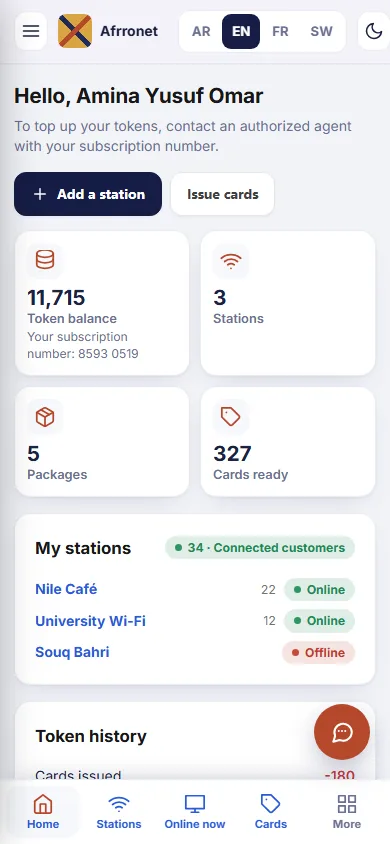
Opening your account
Open a station-owner account with your e-mail address (the «With Telegram» tab is the other way in). Registration does not ask for an authenticator app or a security key: you add one later on the Security page, after your first sign-in.
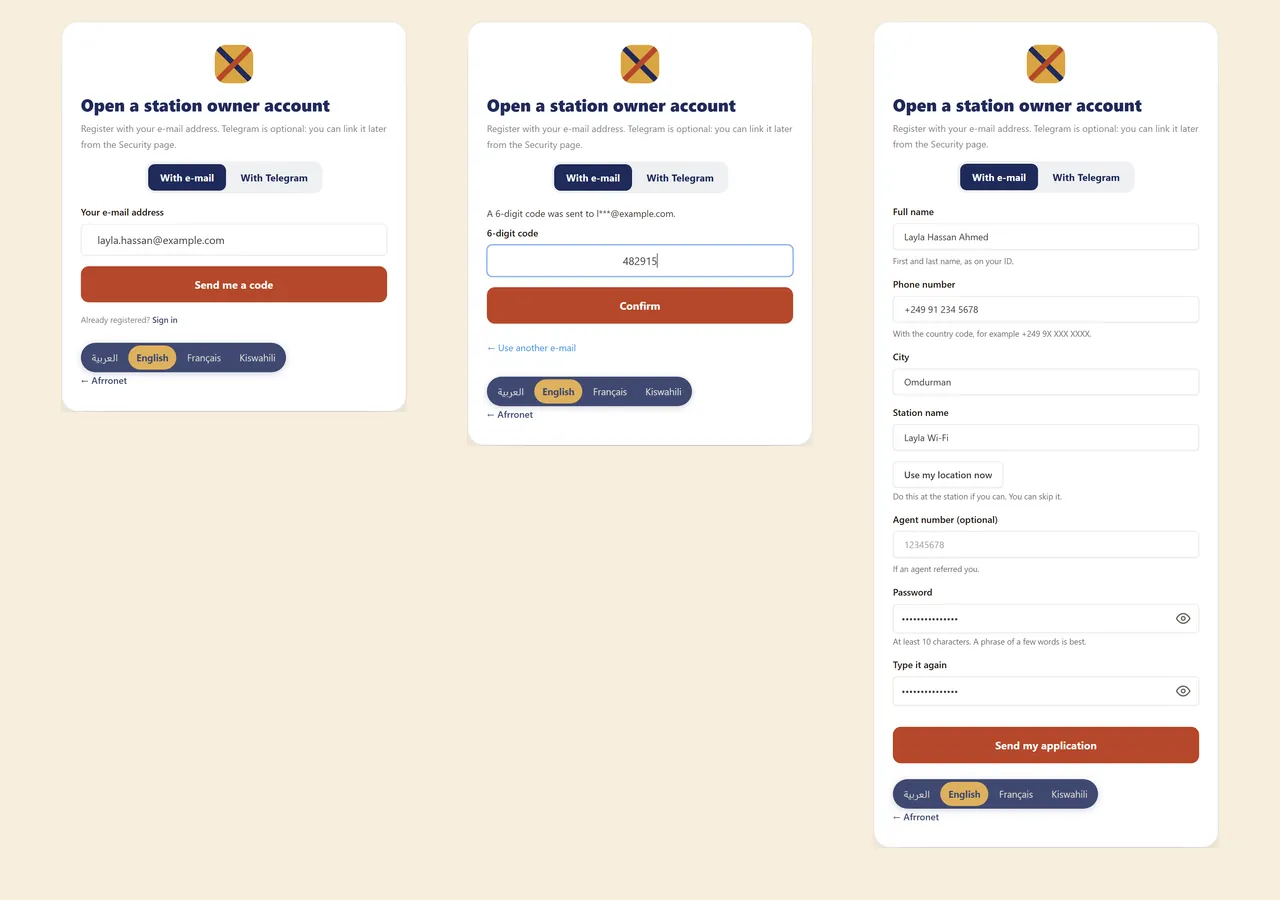
Signing in
The owners' portal has three ways in: Telegram, a password, or a staff or shop account.
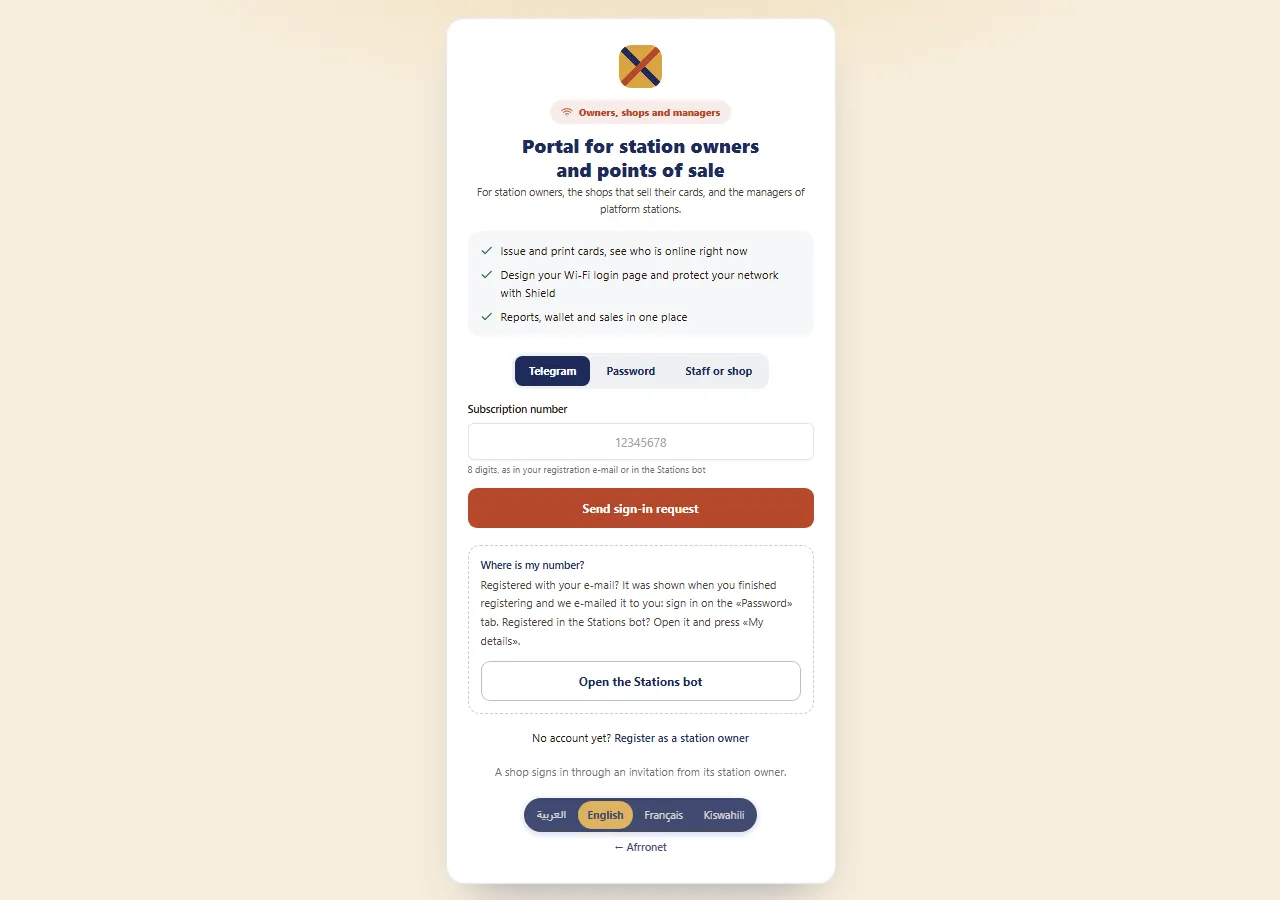
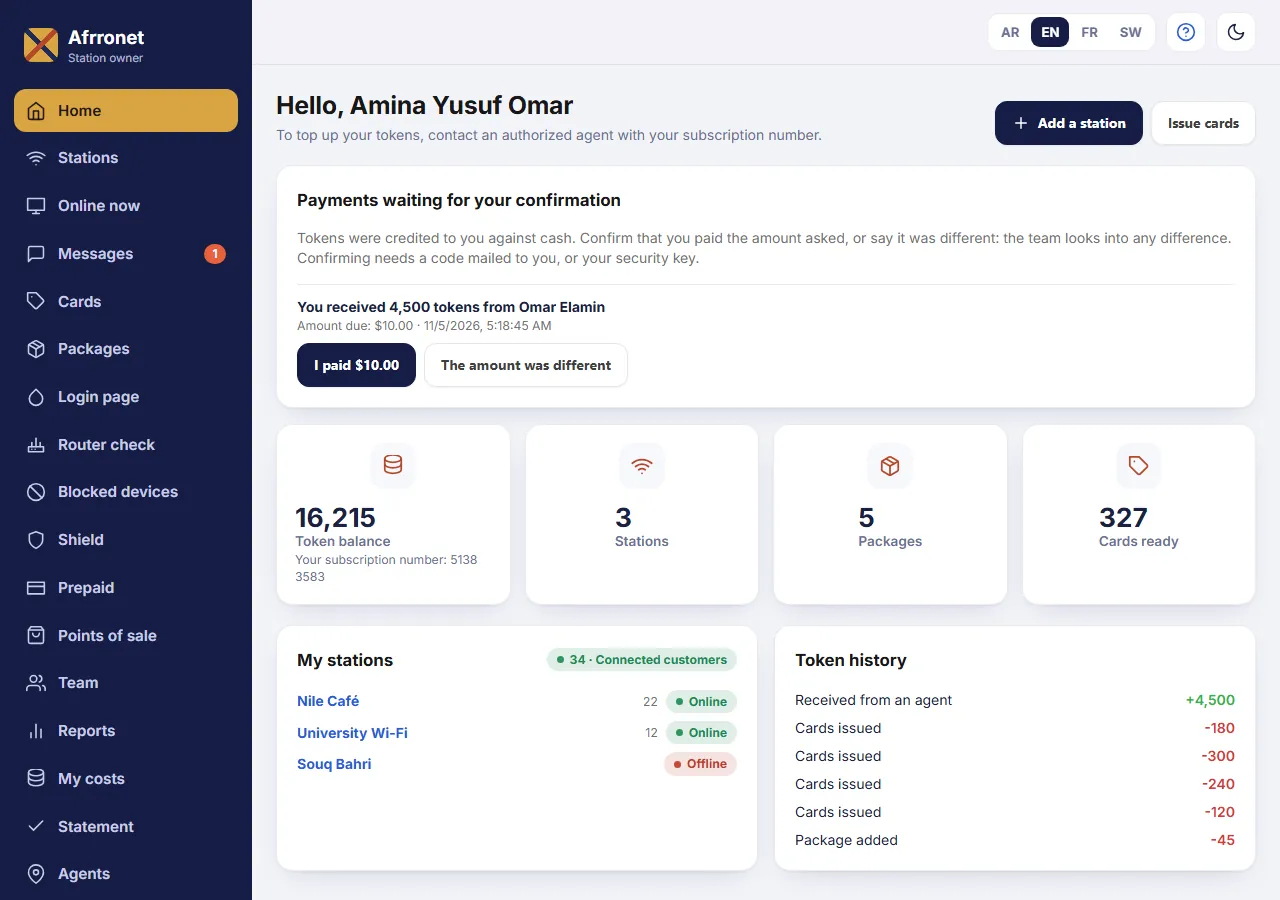
Home
Your whole business in one look: your tokens, your stations, who is online and what you spent.
Stations
Add a station, then connect its MikroTik router with one command. If the router has no hotspot and its network is clear, the command creates the hotspot too; otherwise it tells you to use the router check. If the router answers «not allowed by device-mode», open the note under the command: the router must allow downloads, the scheduler and the hotspot. On your own station's Wi-Fi, before you sign in with a card, Telegram does not work: use mobile data, or open the web panel in the browser.
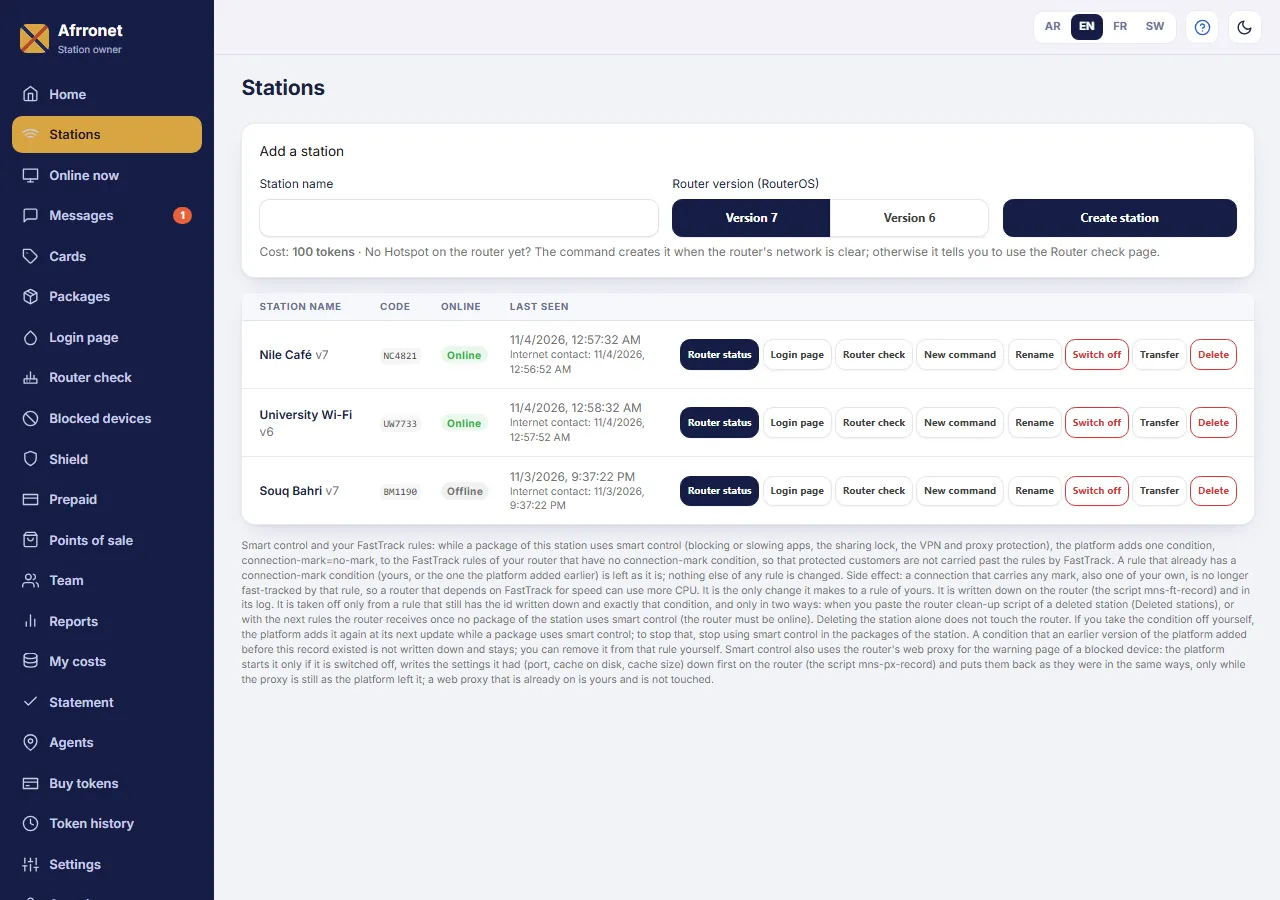
Router status
The panel of your own router: how it is doing, who is connected, your internet provider and what to do about problems.
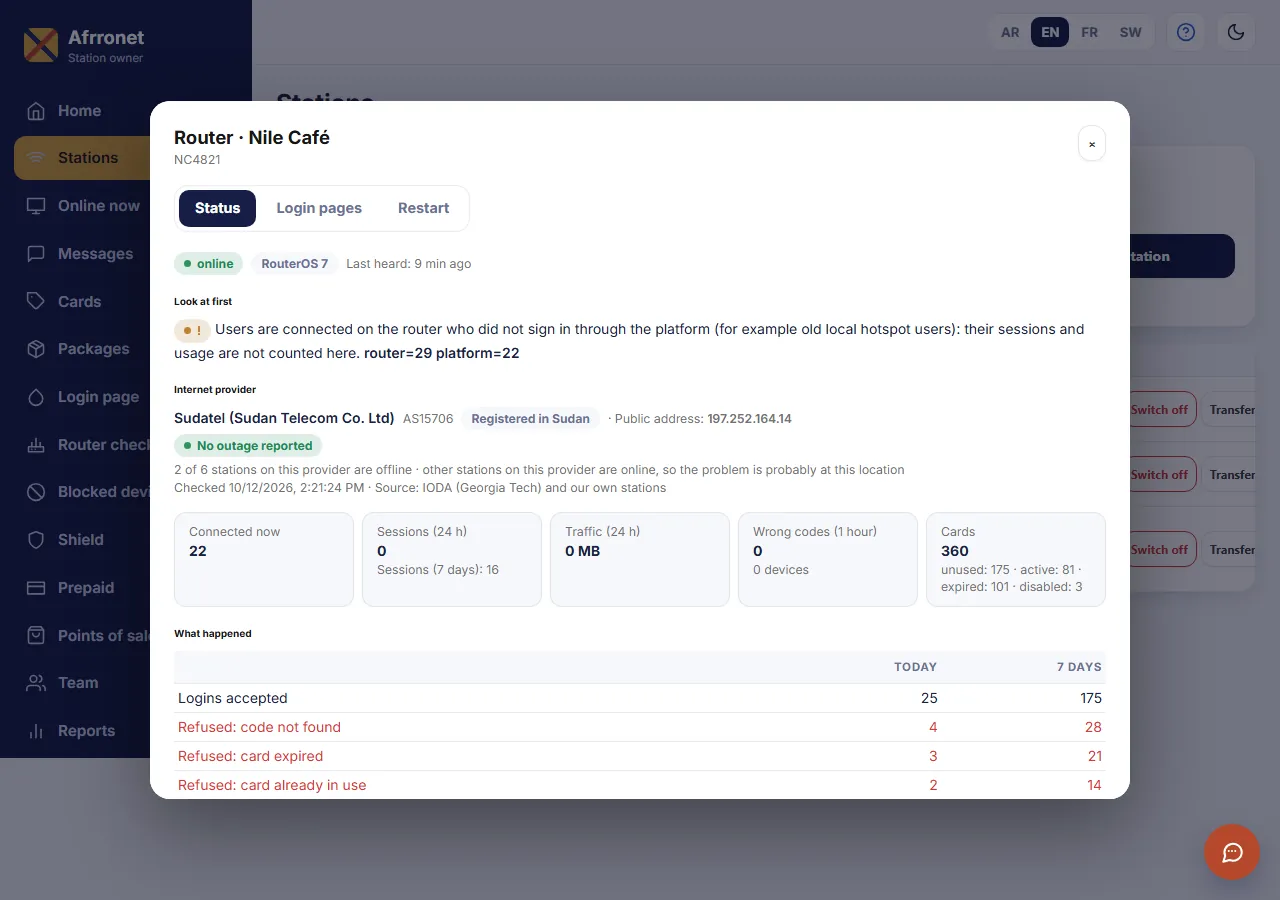
Packages
A package says what one card gives your customers: time, data, speed and price.
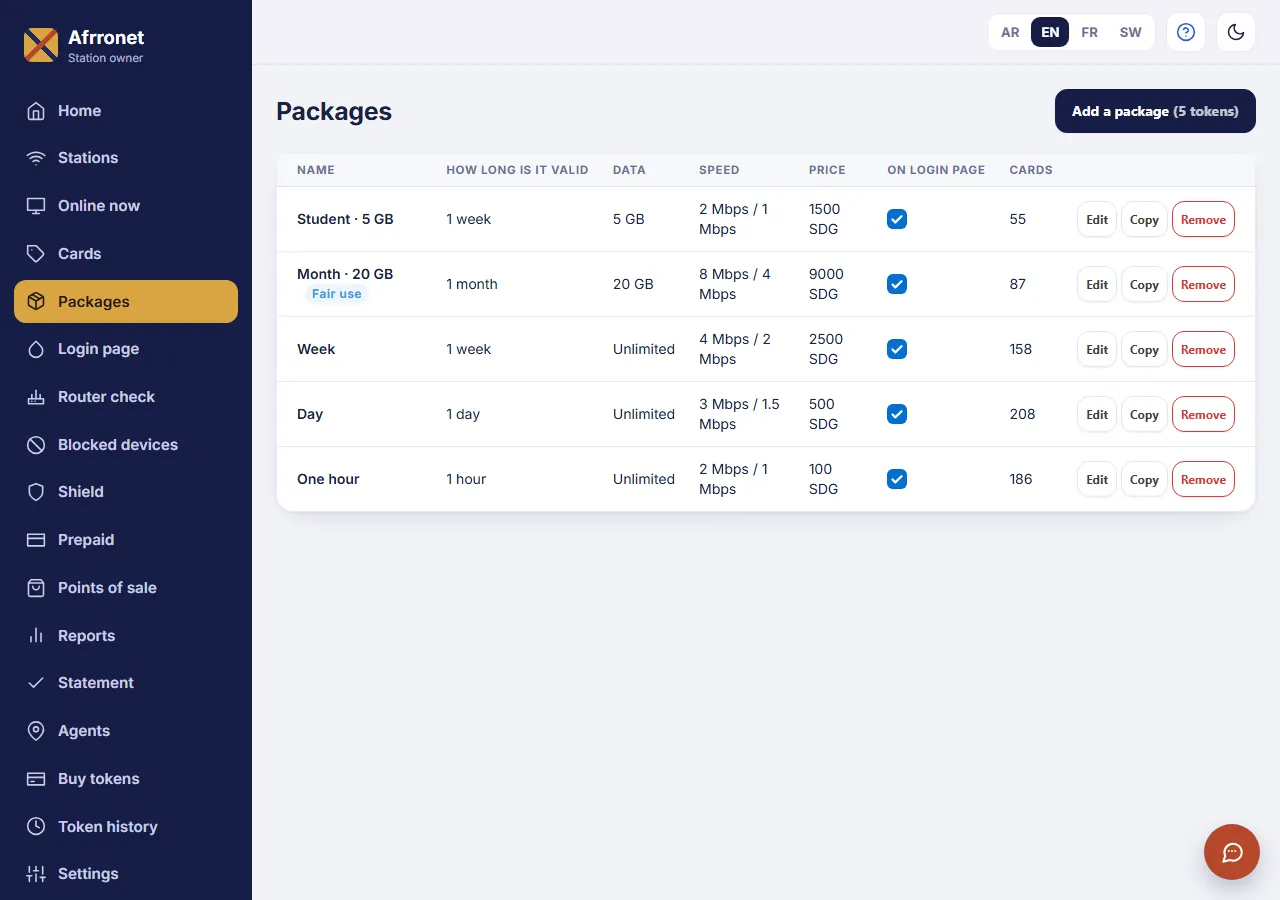
Issue and print cards
Issue cards in bulk for any station and package, then print them.
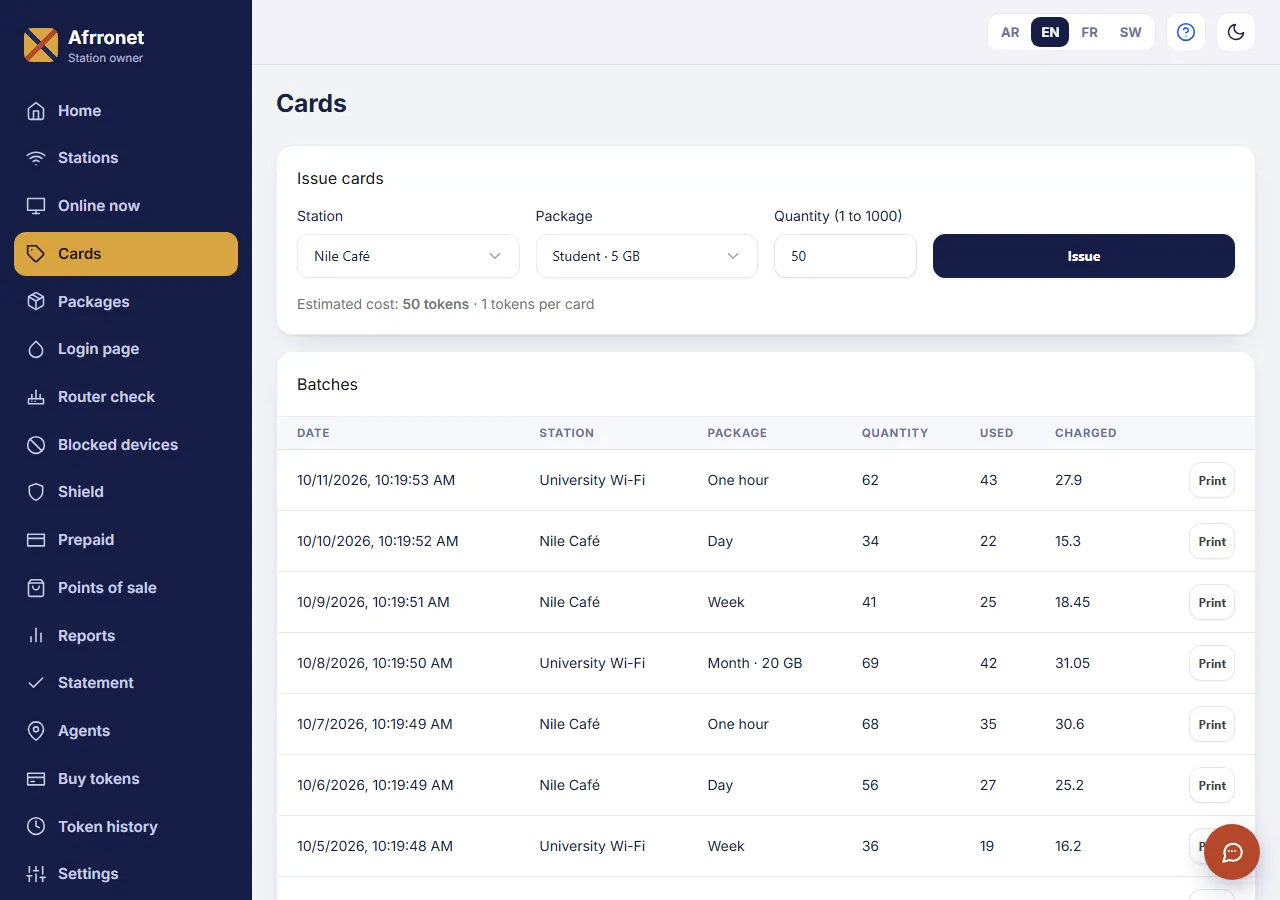
Online now
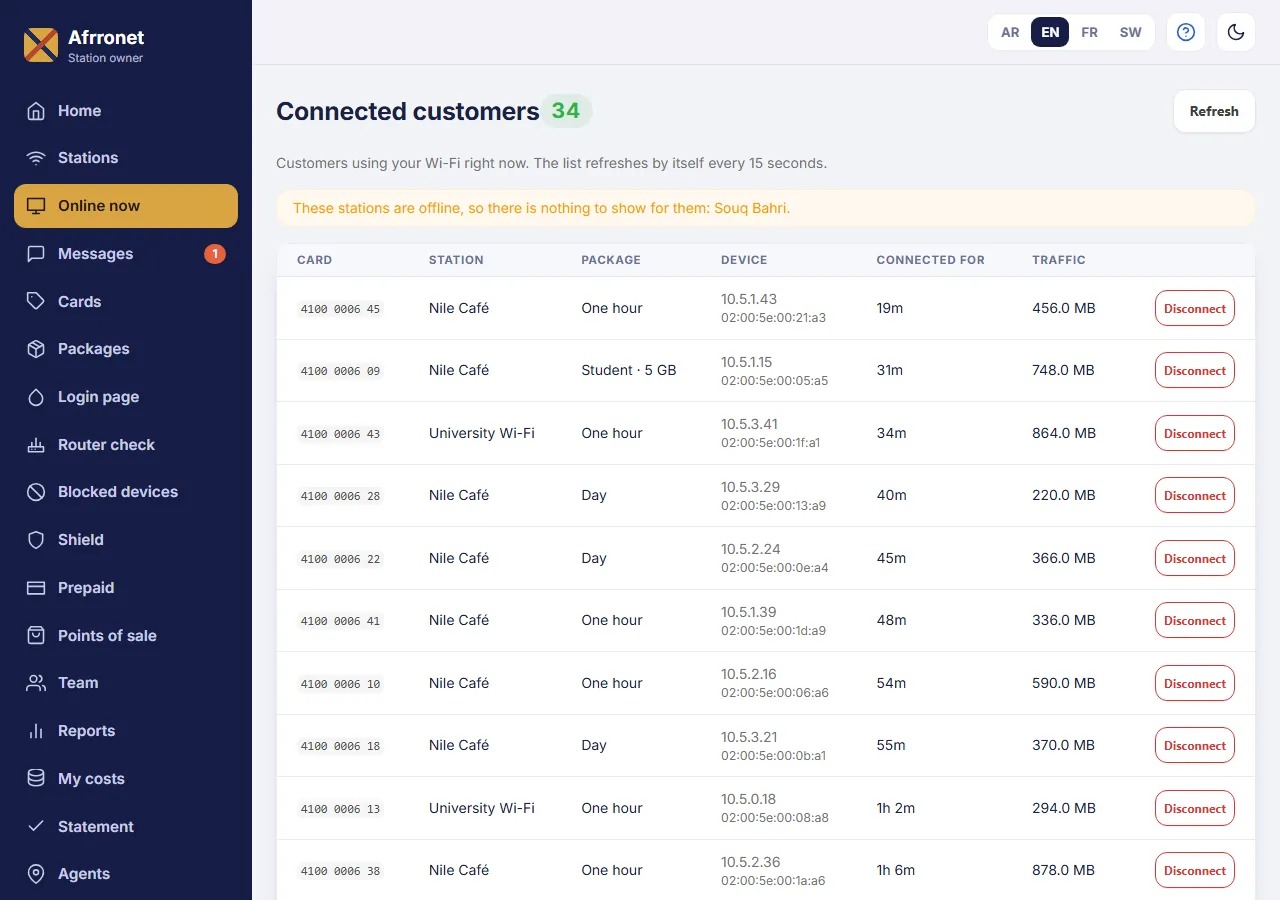
Who is using your network at this moment.
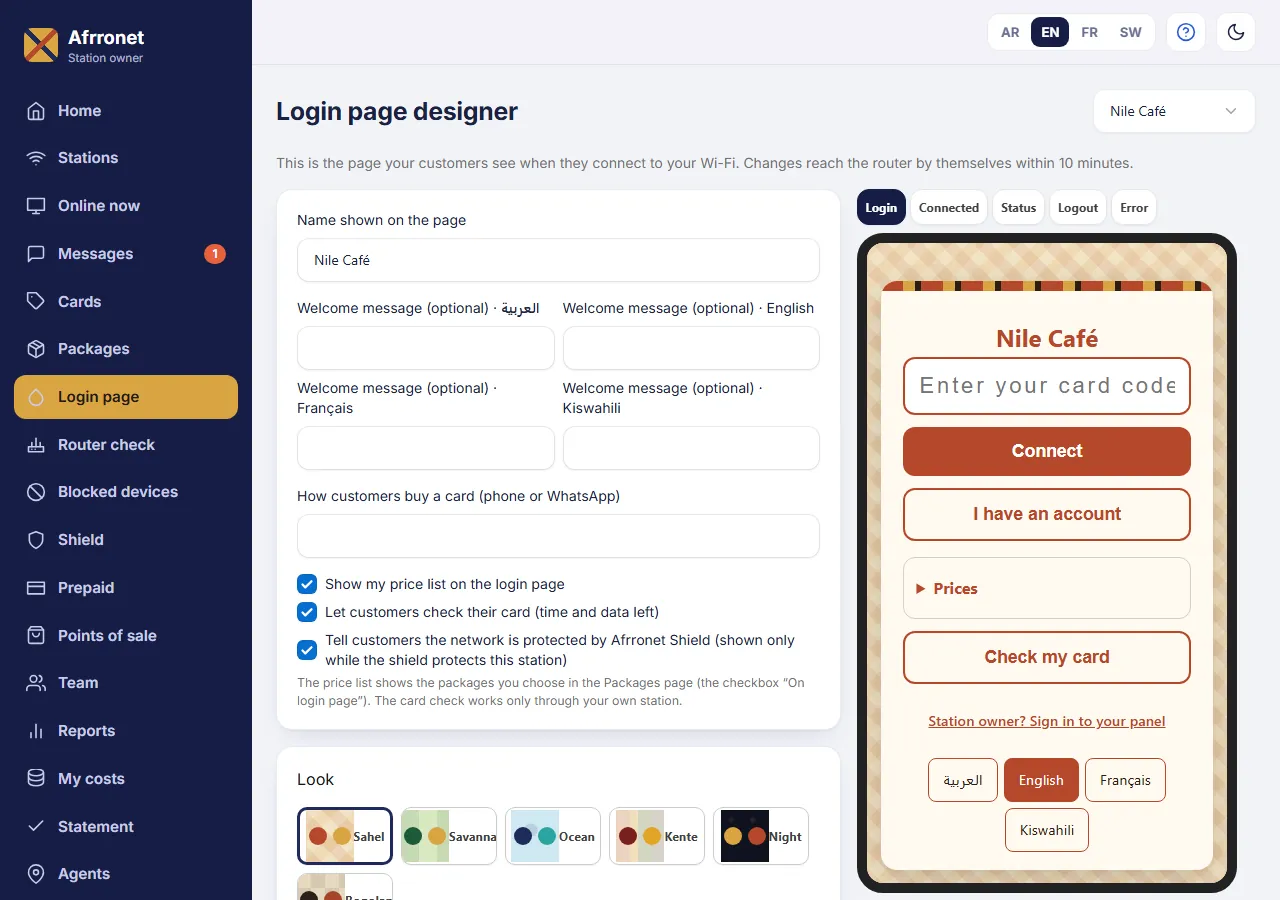
Login page designer
Design the page your customers see when they connect to your Wi-Fi.
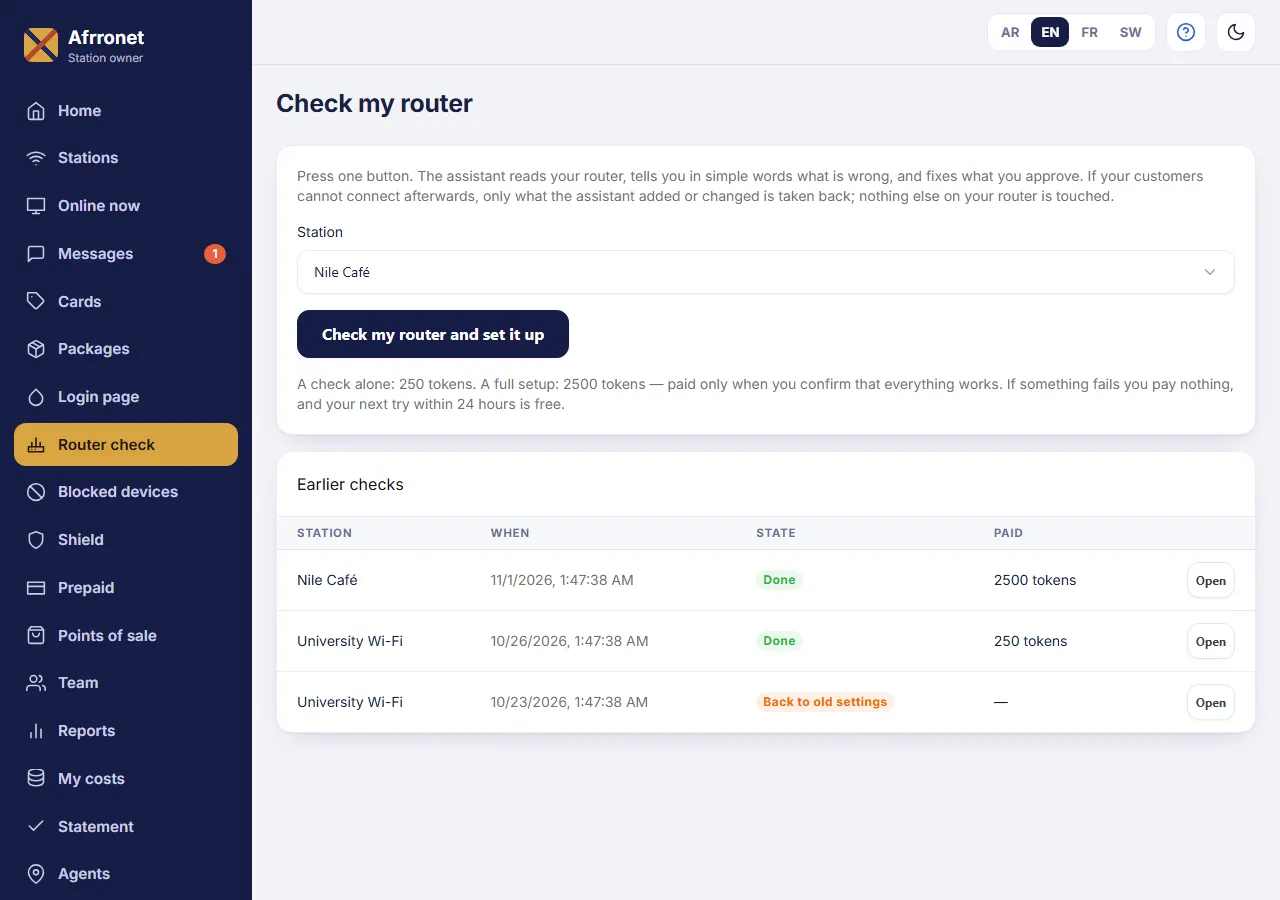
Router check
An assistant reads your router, explains the problems in plain words and fixes them, only after you approve. If your router has no hotspot yet, the assistant finds by itself which port brings your internet and which port your customers use, and offers to create the hotspot.
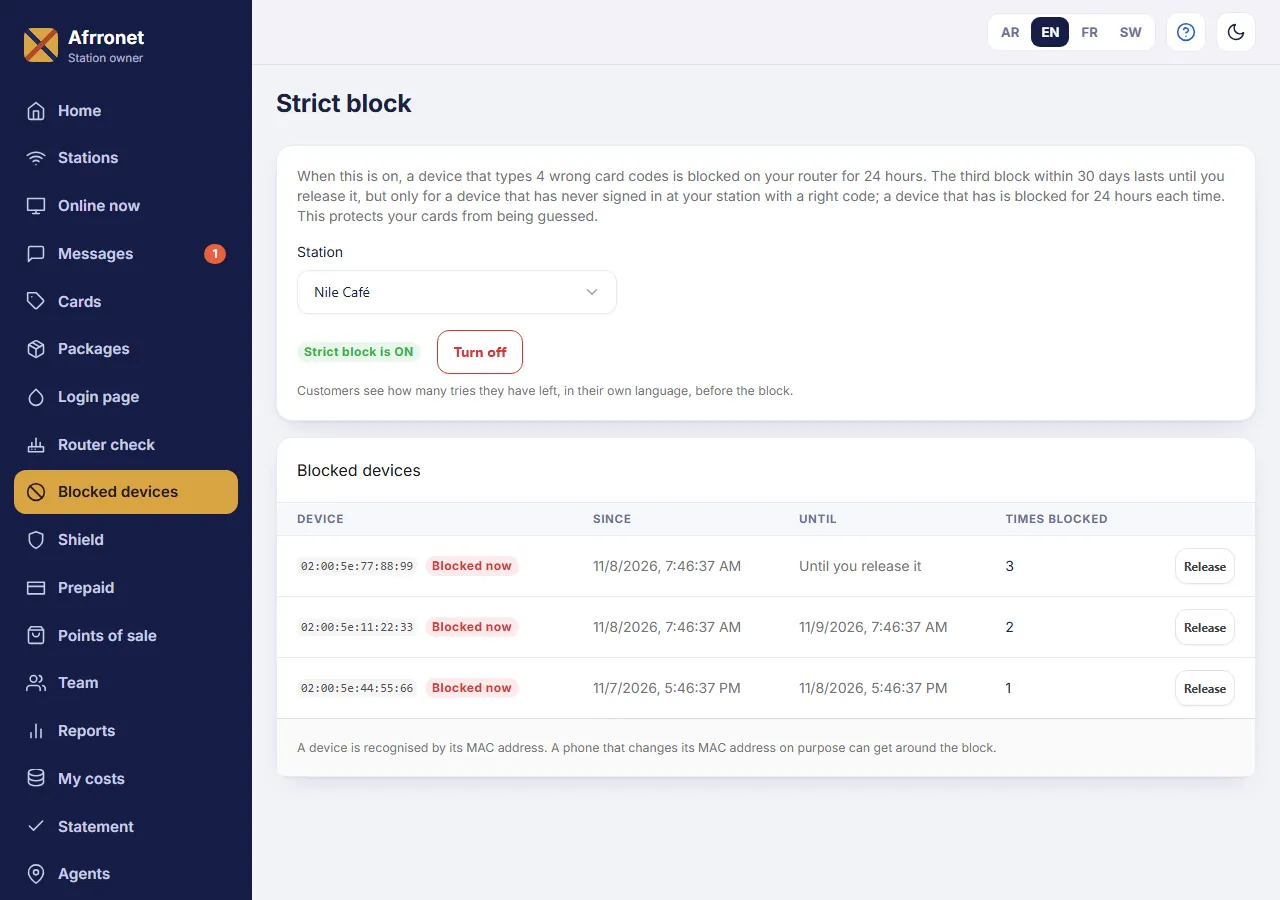
Strict blocking
Stops devices that keep guessing card codes.
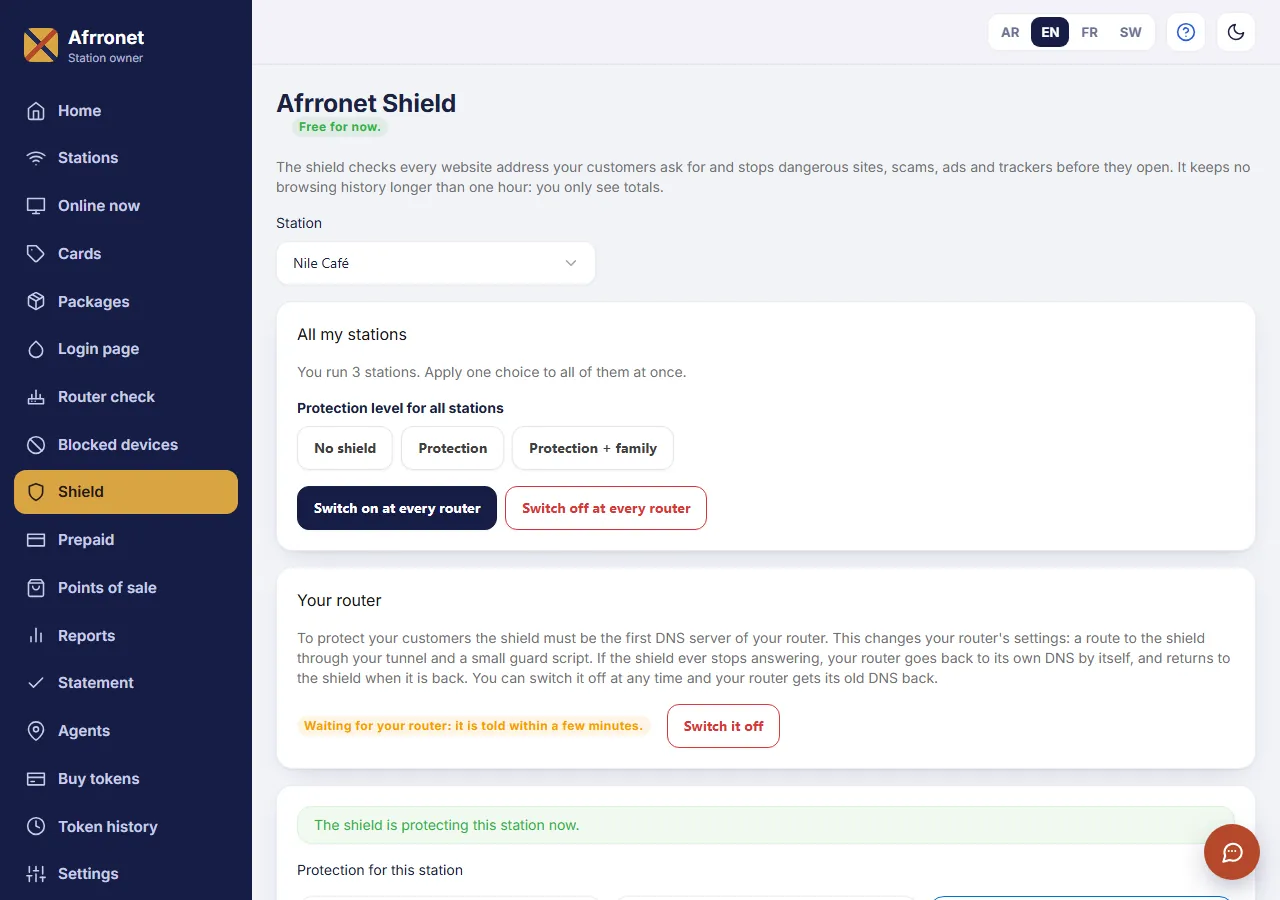
Afrronet Shield
Protection against dangerous, scam and ad sites for everyone on your Wi-Fi, without any app on their phones.
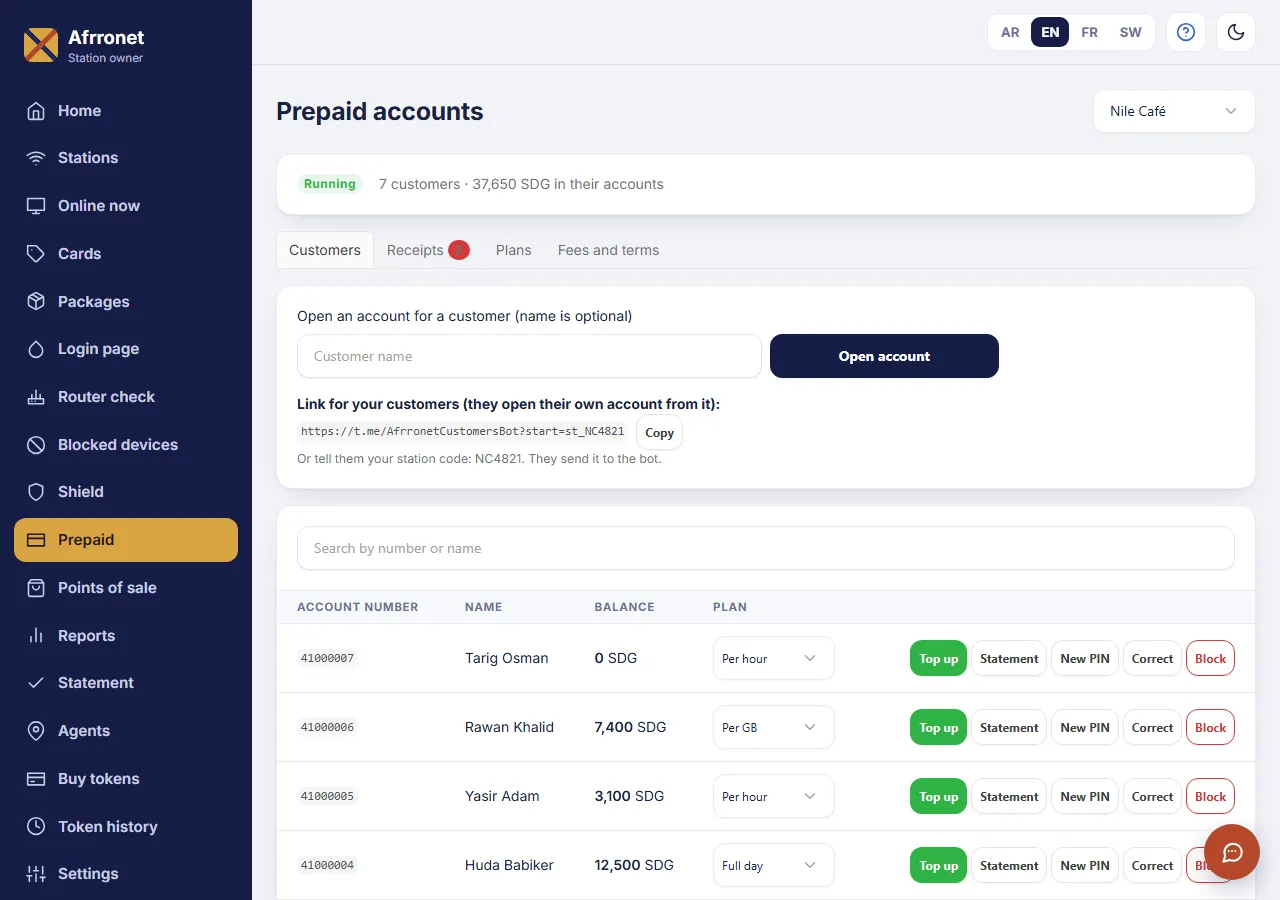
Prepaid accounts
Customers keep money in an account at your station and pay by the hour, the gigabyte or the day, instead of buying cards. Their money stays between you and them in your own currency: the platform does not hold it and it never enters your token wallet. Only the platform's small monthly fee is taken from your tokens.
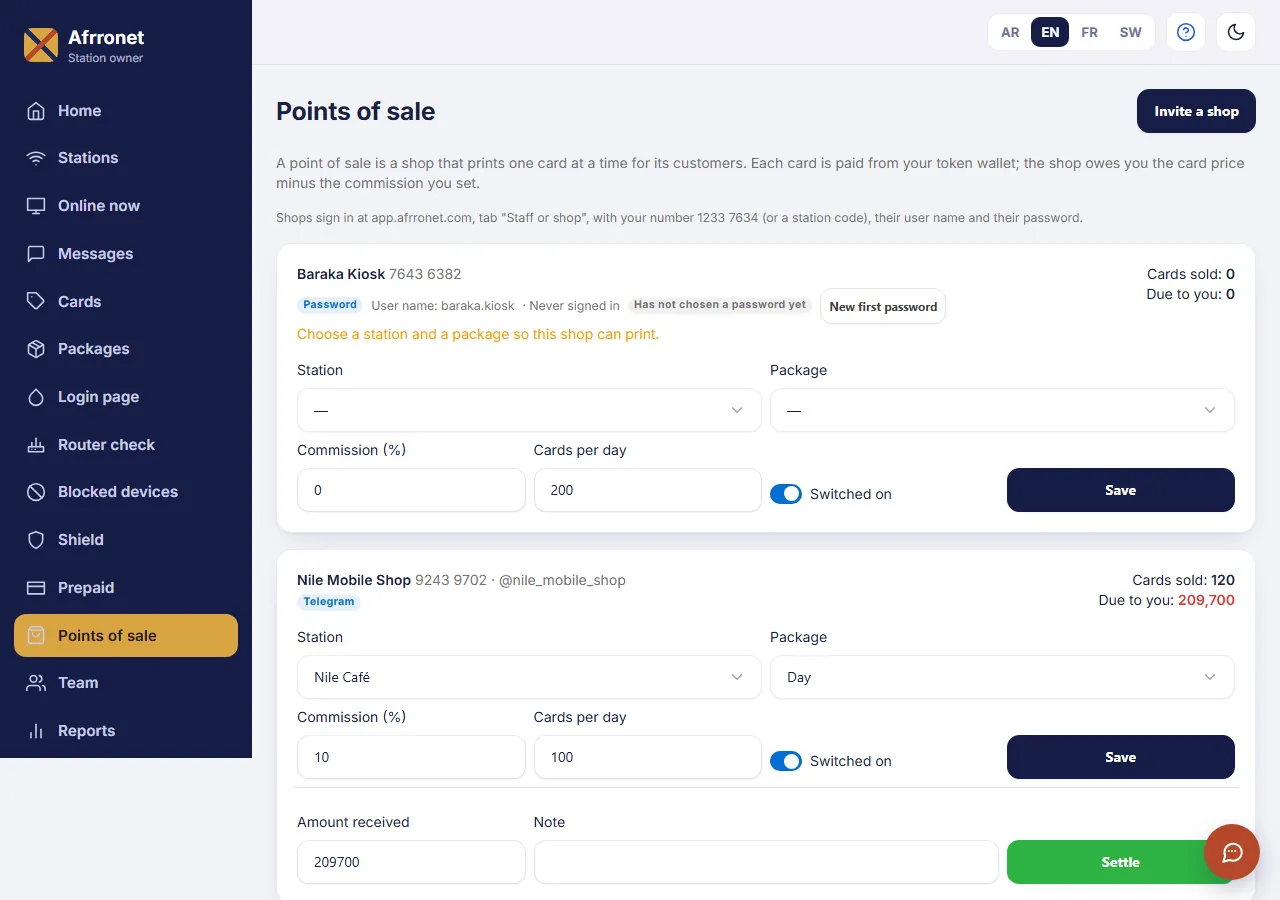
Points of sale
A point of sale is a shop that prints one card at a time for its customers and owes you the price minus its commission.
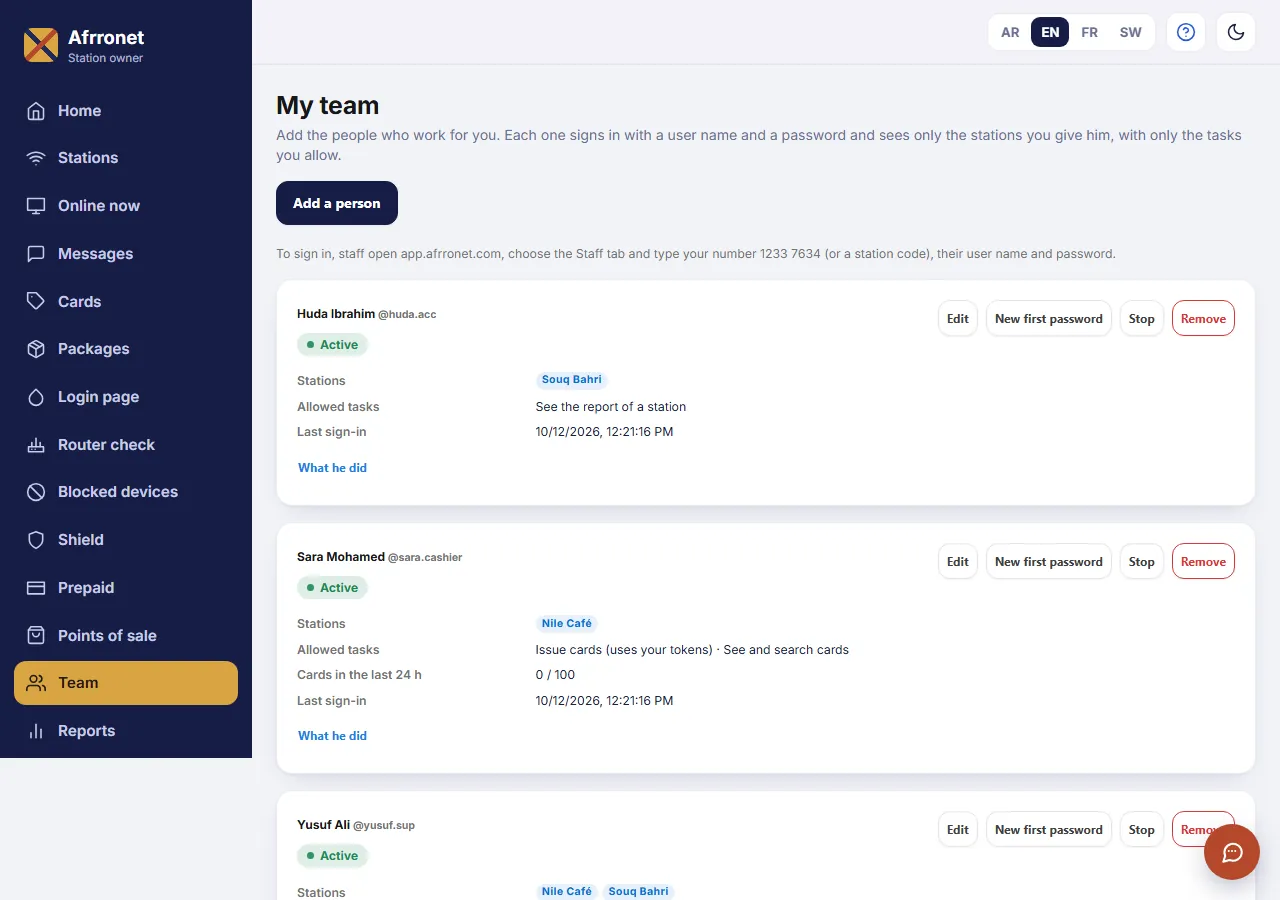
Team
Give each employee his own sign-in, the stations he works on and only the tasks you allow.
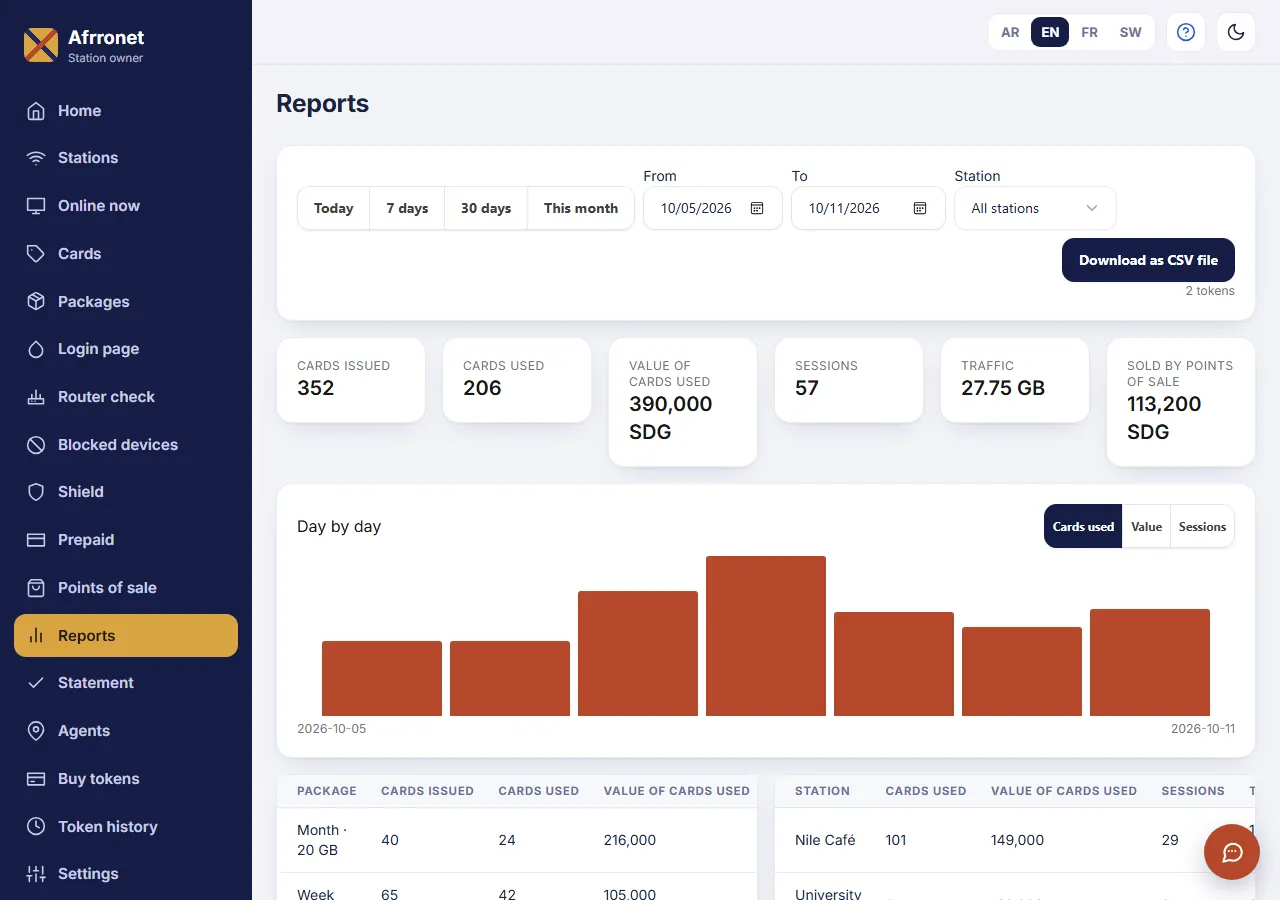
Reports
Figures for any period: cards issued and used, their value, sessions, data and shop sales.
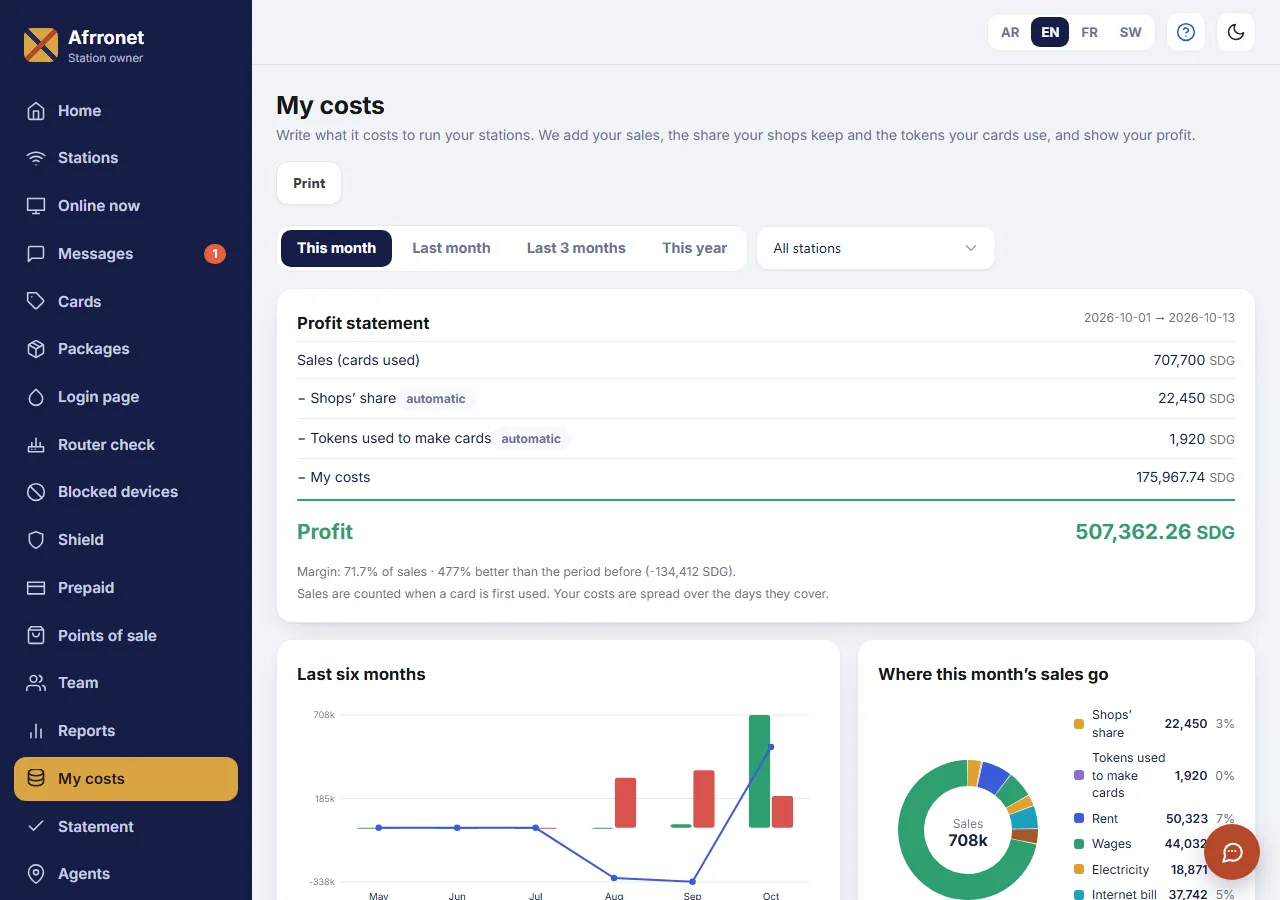
My costs
Write what it costs to run your stations and see your real profit: your sales, minus what the shops keep and the tokens of your cards (both filled in for you), minus your own costs.
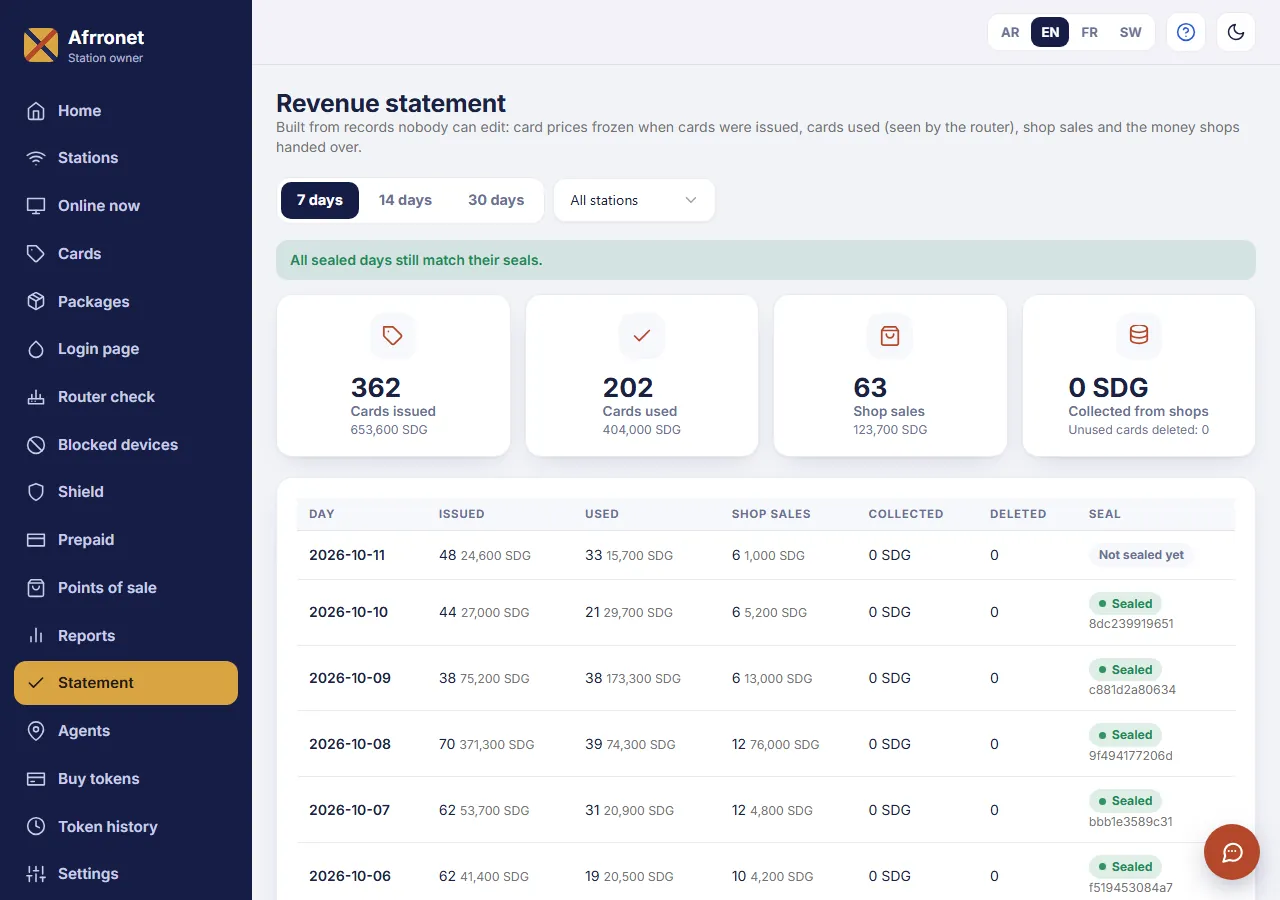
Revenue statement
A statement nobody can edit: every day is sealed and chained to the day before it.
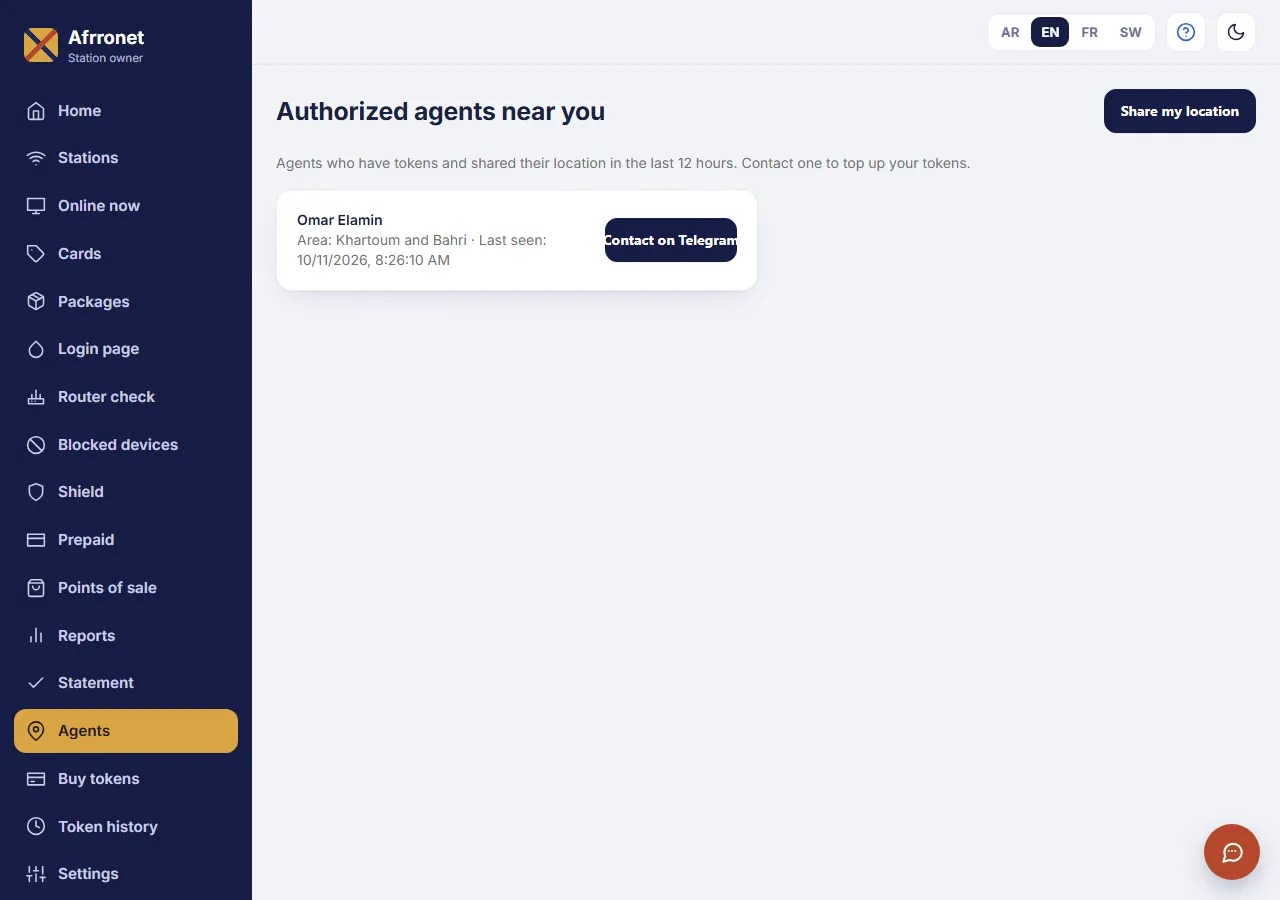
Agents near you
Authorized agents near you who can sell you tokens.
Tokens from an agent, paid in cash
When your wallet is low and an authorized agent is near you, he can add tokens to it and you pay him in cash, outside the platform. If no agent serves your area, a member of the platform team may sell you tokens directly; you then confirm it the same way.
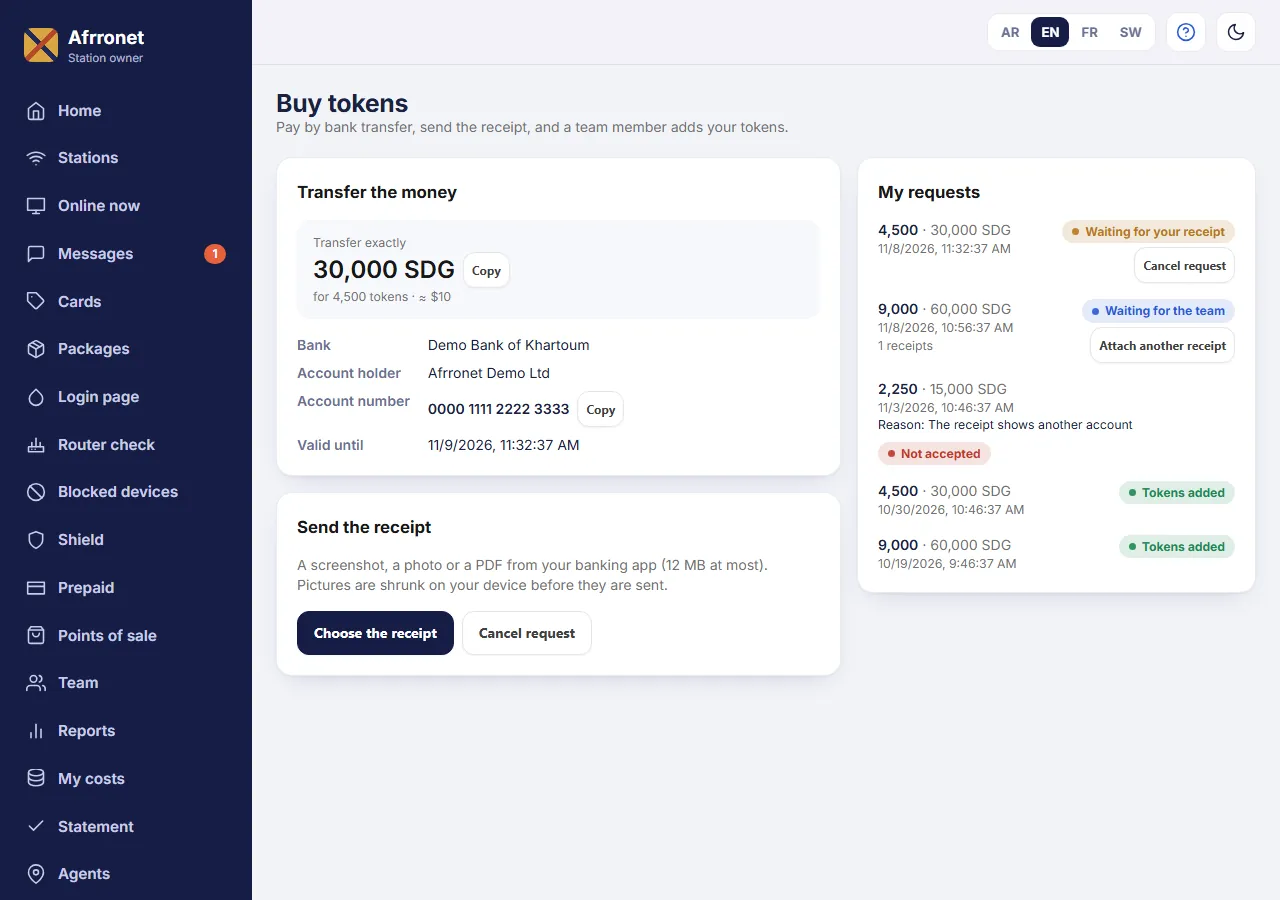
Buy tokens
Pay by bank transfer, send the receipt, and a team member adds the tokens to your wallet once he sees the money in the bank. Nothing is added automatically before that. The same steps work in the stations bot with /buy.
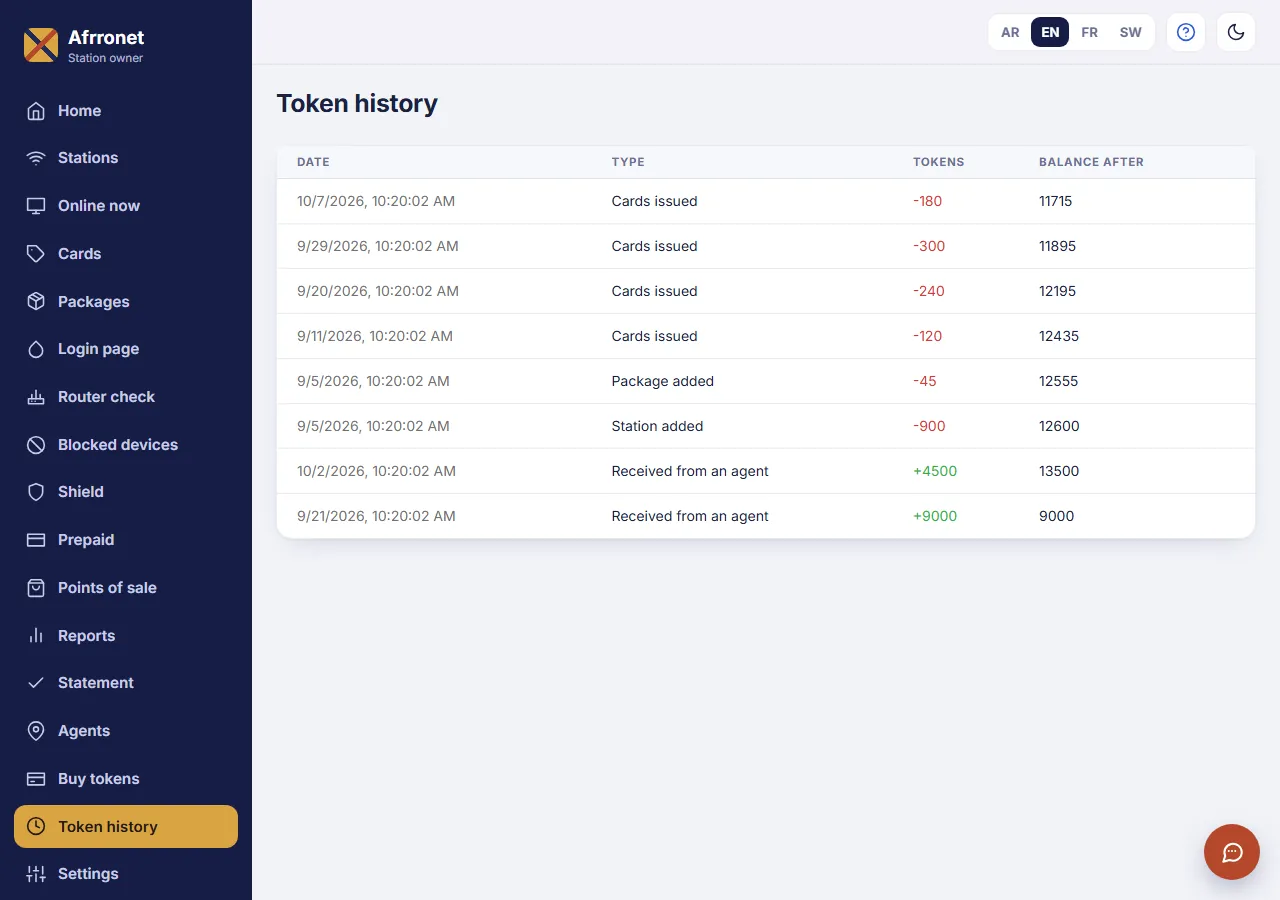
Token history
The last 50 movements of tokens in your wallet.
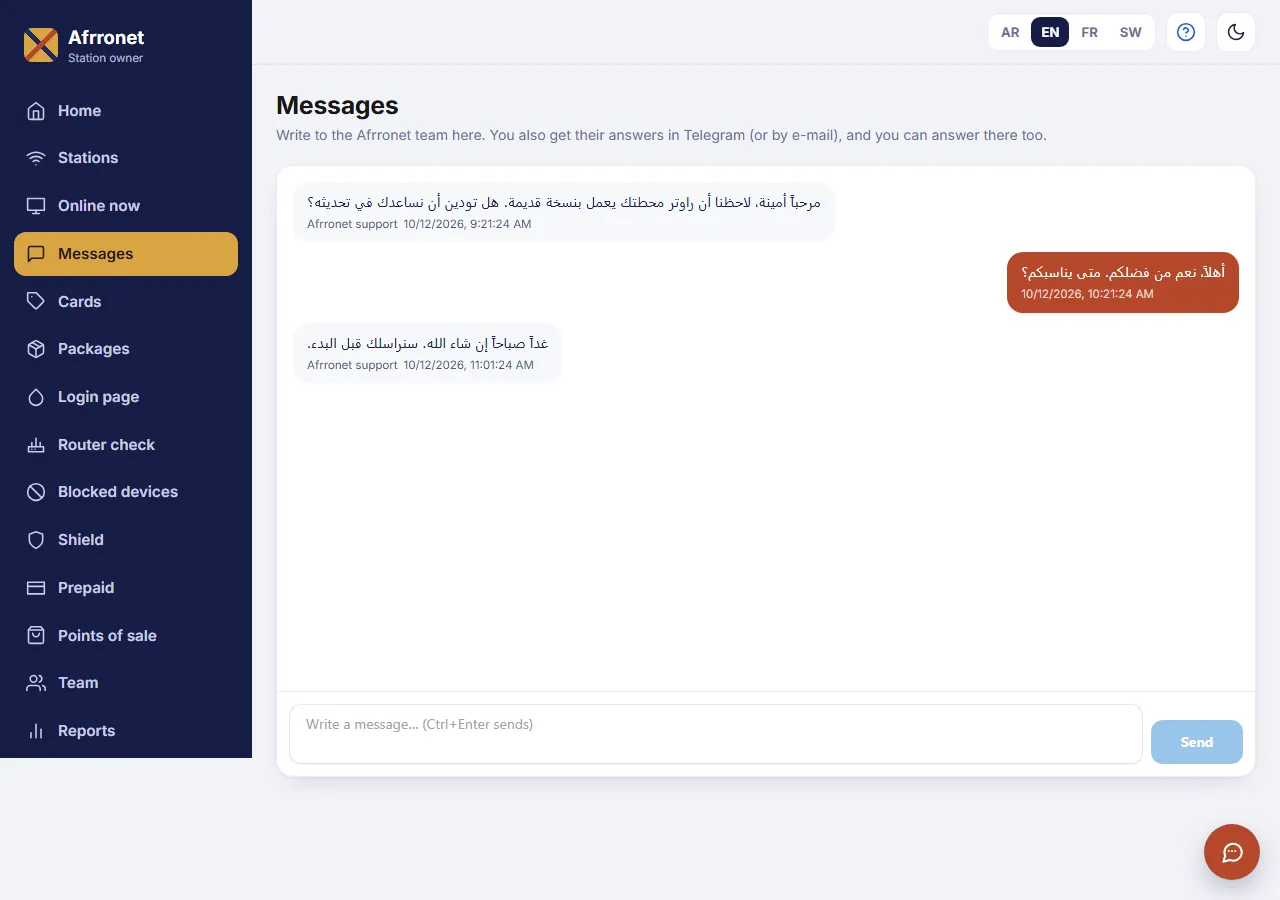
Messages
A conversation with the Afrronet team, in your language.
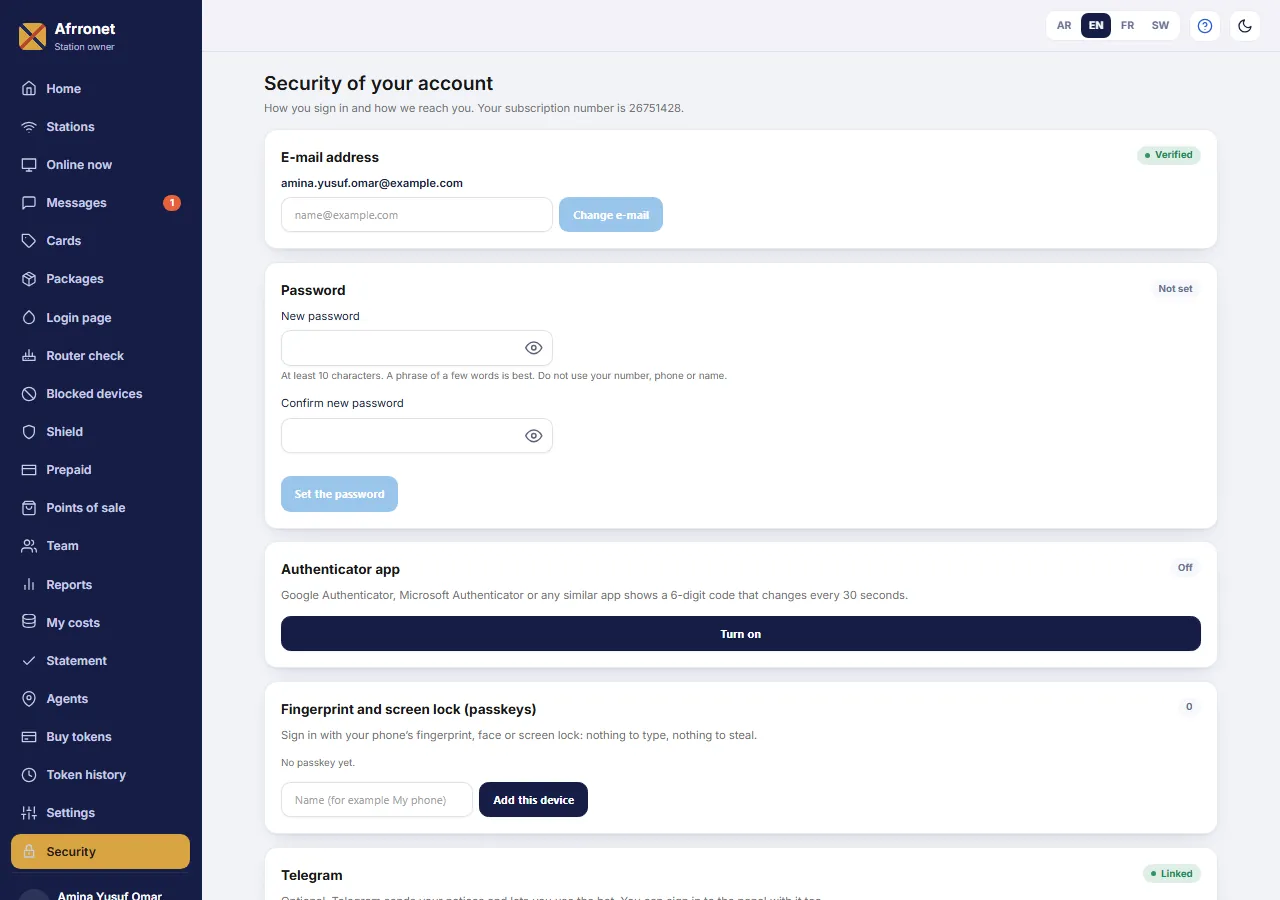
Account security
How you sign in and how we reach you: your e-mail, your password and the extra locks.
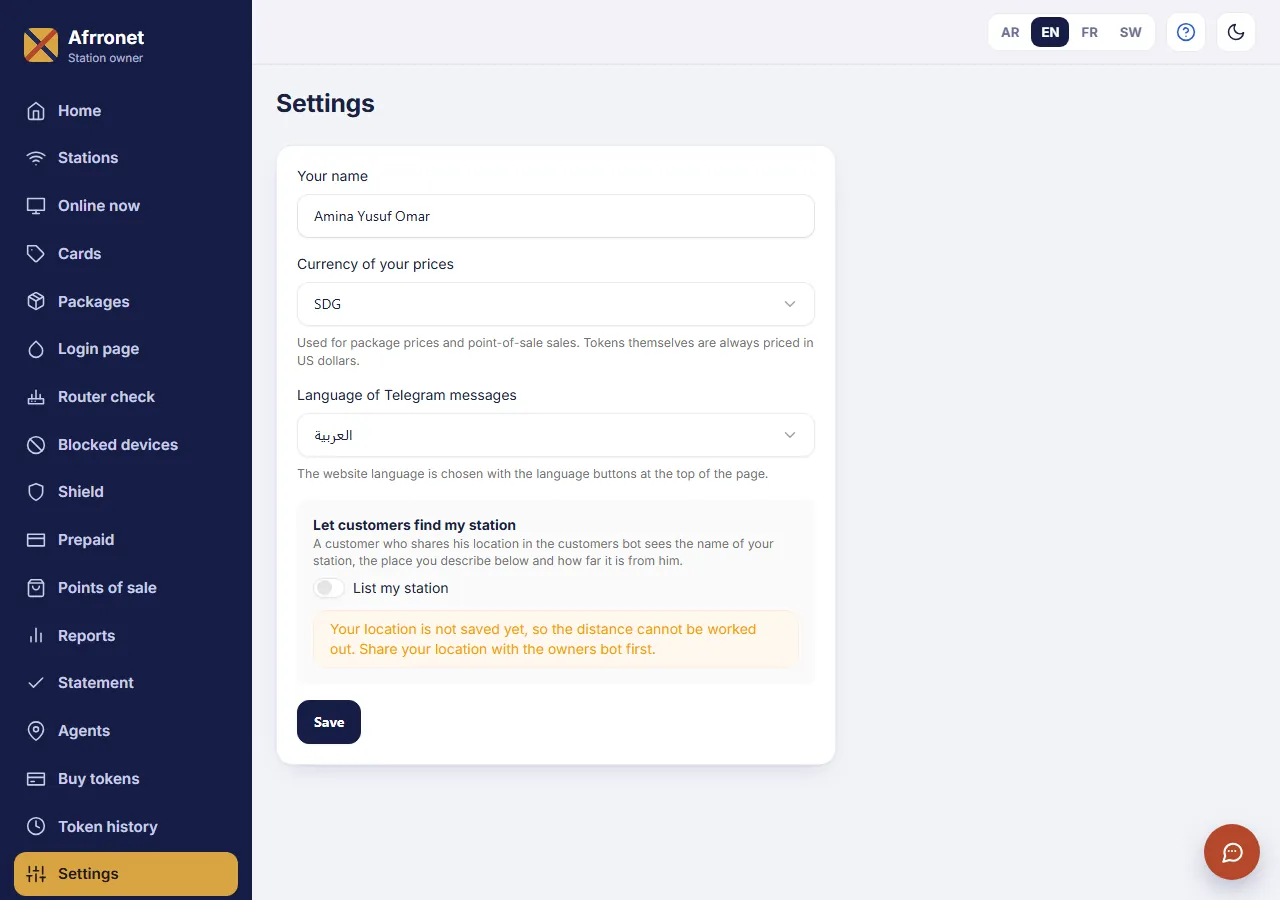
Settings
Your name, the currency of your prices, the language of your messages and whether customers can find your station.
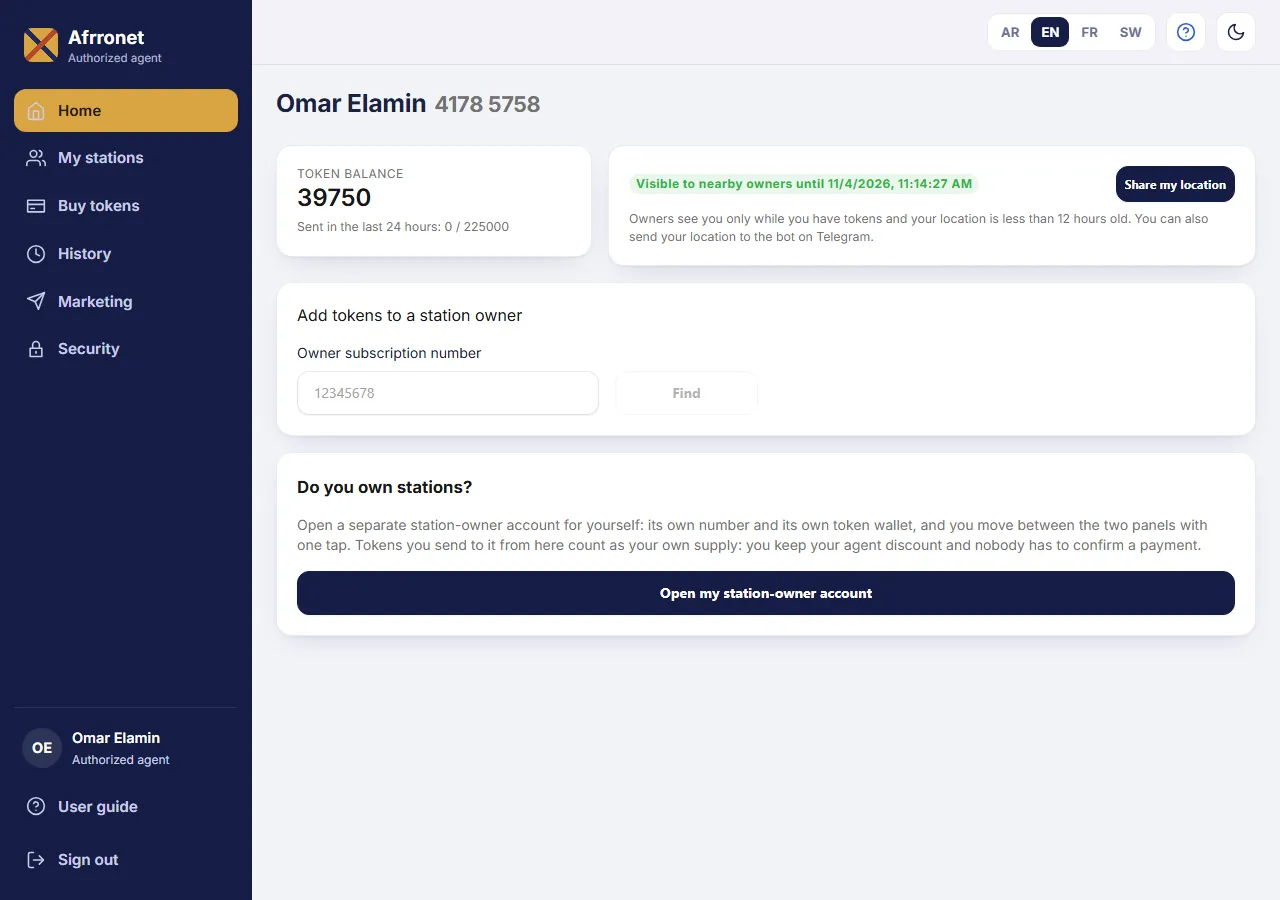
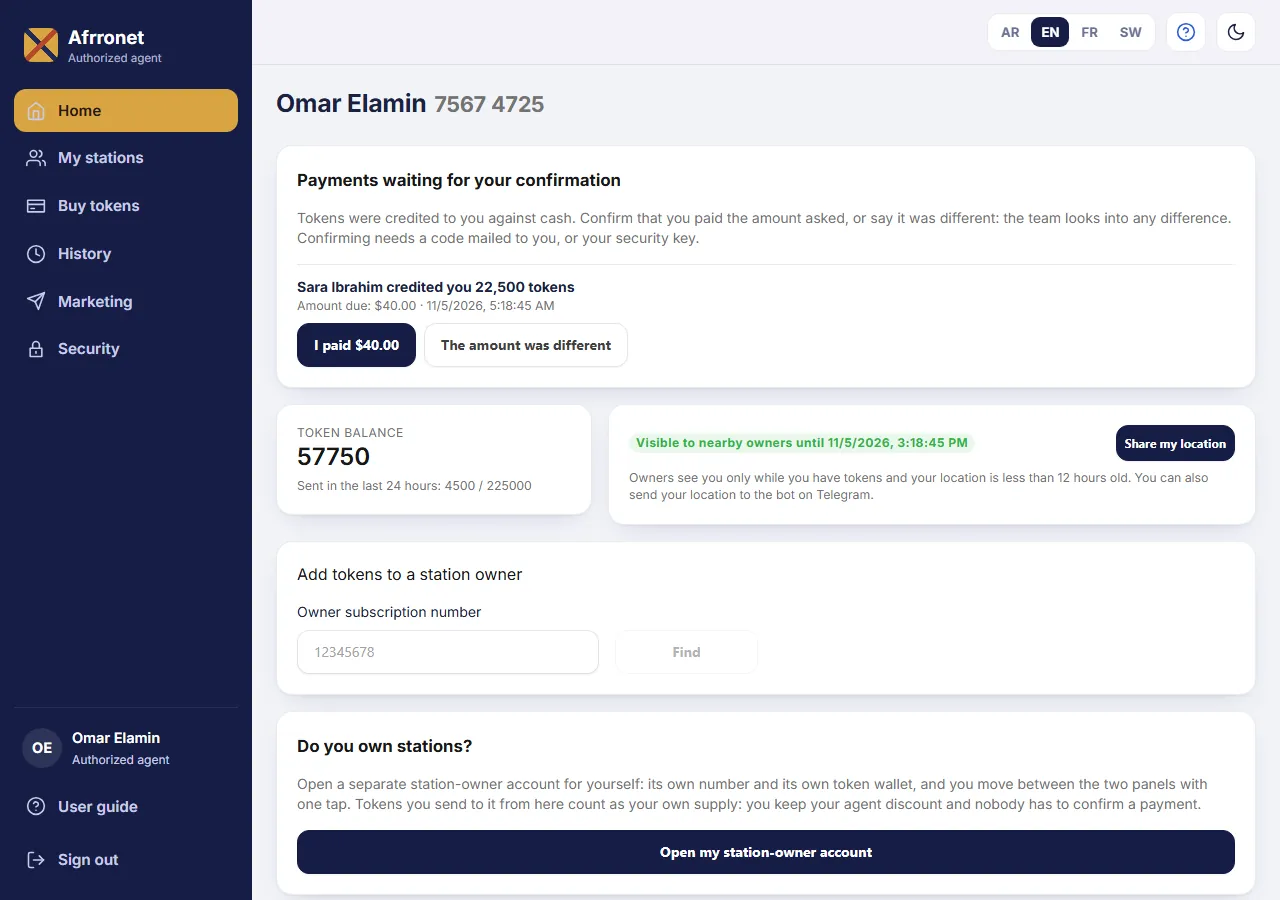
Agent home
Your token wallet, your location and the box that sends tokens to a station owner.
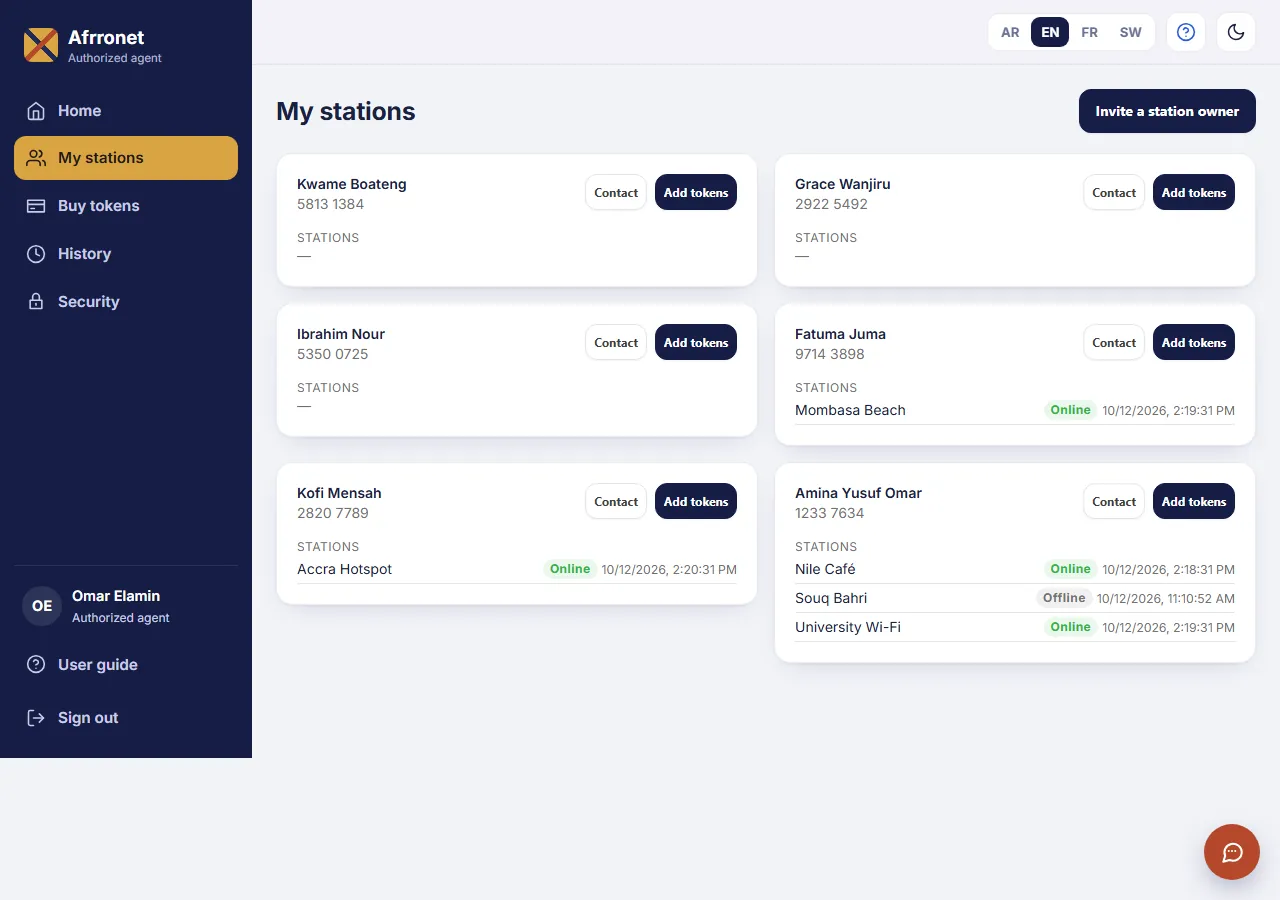
Your station owners
Everyone who joined through you, with their stations, and the button to invite more.
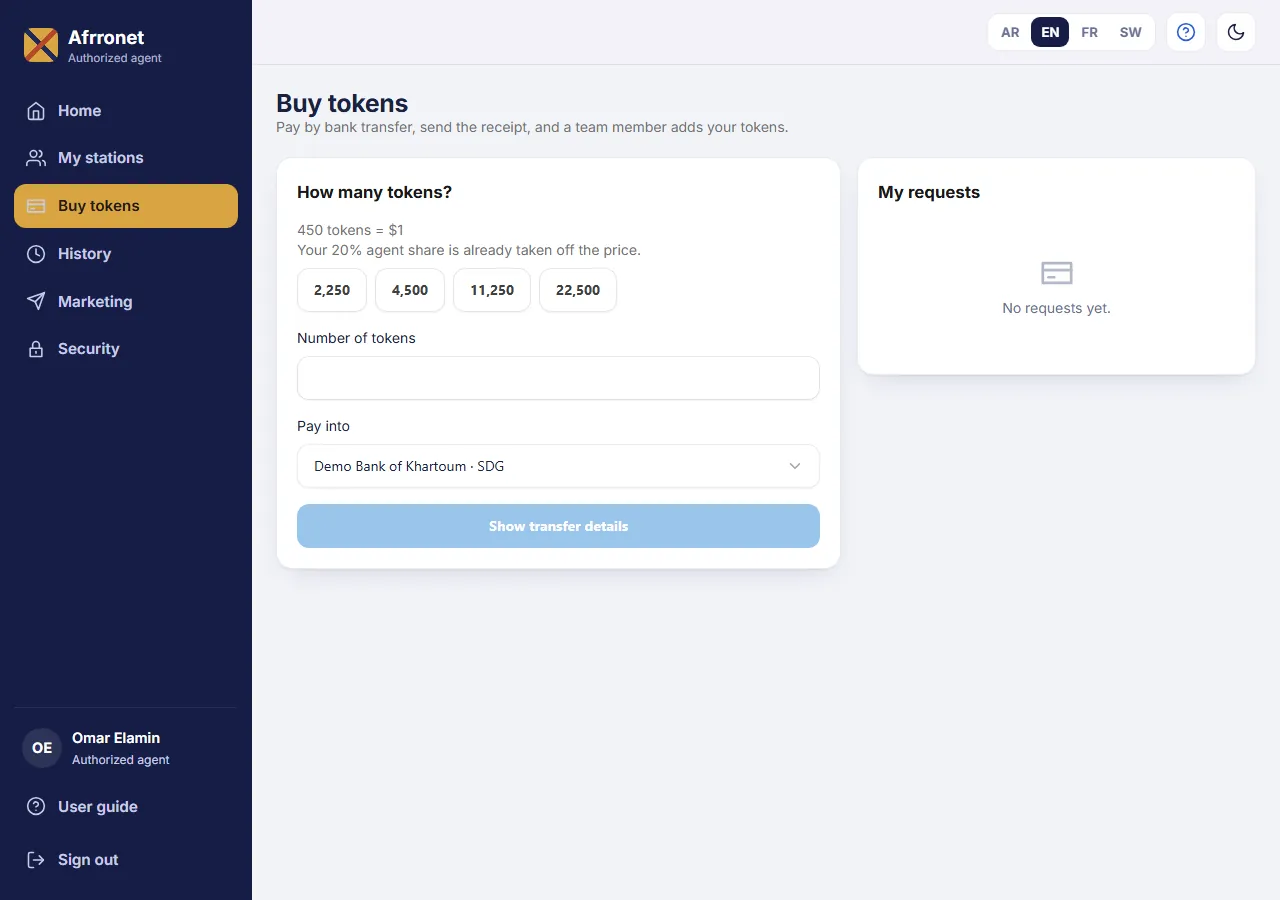
Buy tokens
Fill your own wallet by bank transfer, with your agent share taken off the price in advance. A team member adds the tokens once he sees the money in the bank; nothing is added automatically. The same steps work in the agents bot with /buy.
Tokens from the team, paid in cash
Another way for an agent to buy tokens: you hand cash to a member of the platform team, who adds the tokens to your wallet. How you meet him is for the two of you to arrange.
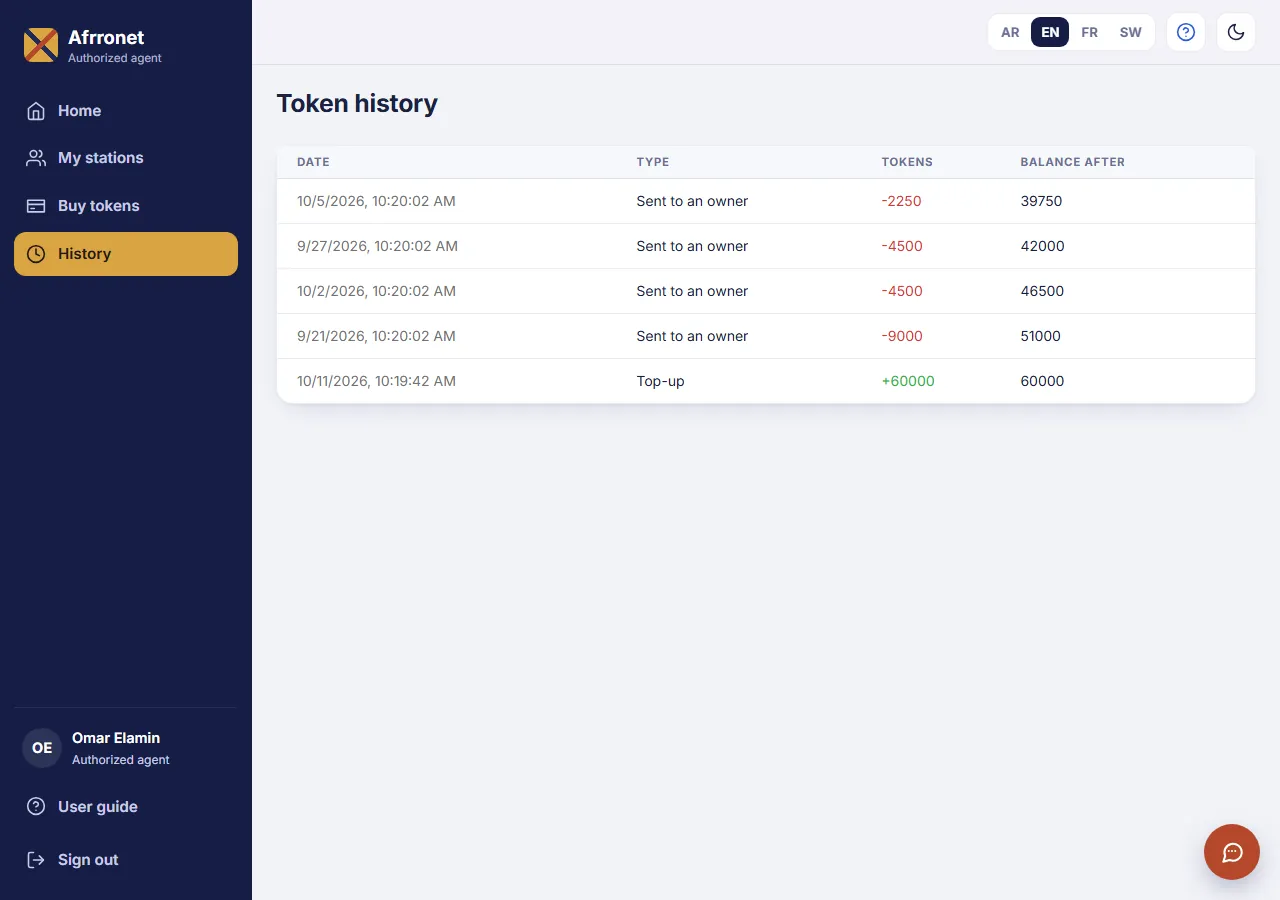
Wallet history
Your last 50 movements: tokens you bought, gifts, and tokens you sent to station owners.
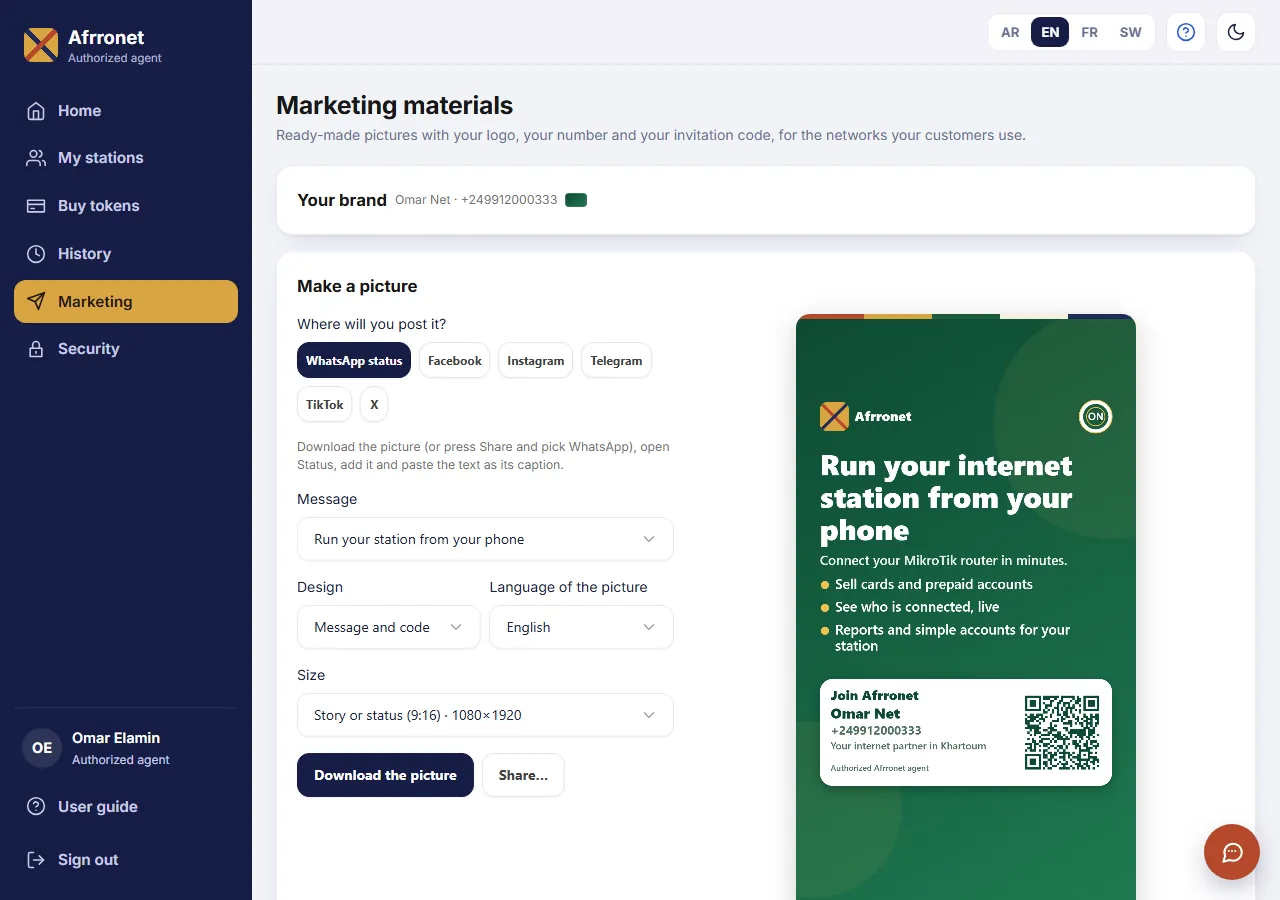
Marketing materials
Ready-made pictures with your logo, your number and your invitation code, for WhatsApp status, Facebook, Instagram, Telegram, TikTok and X.
Account security
The same locks for an agent: e-mail, password, authenticator app and security keys.
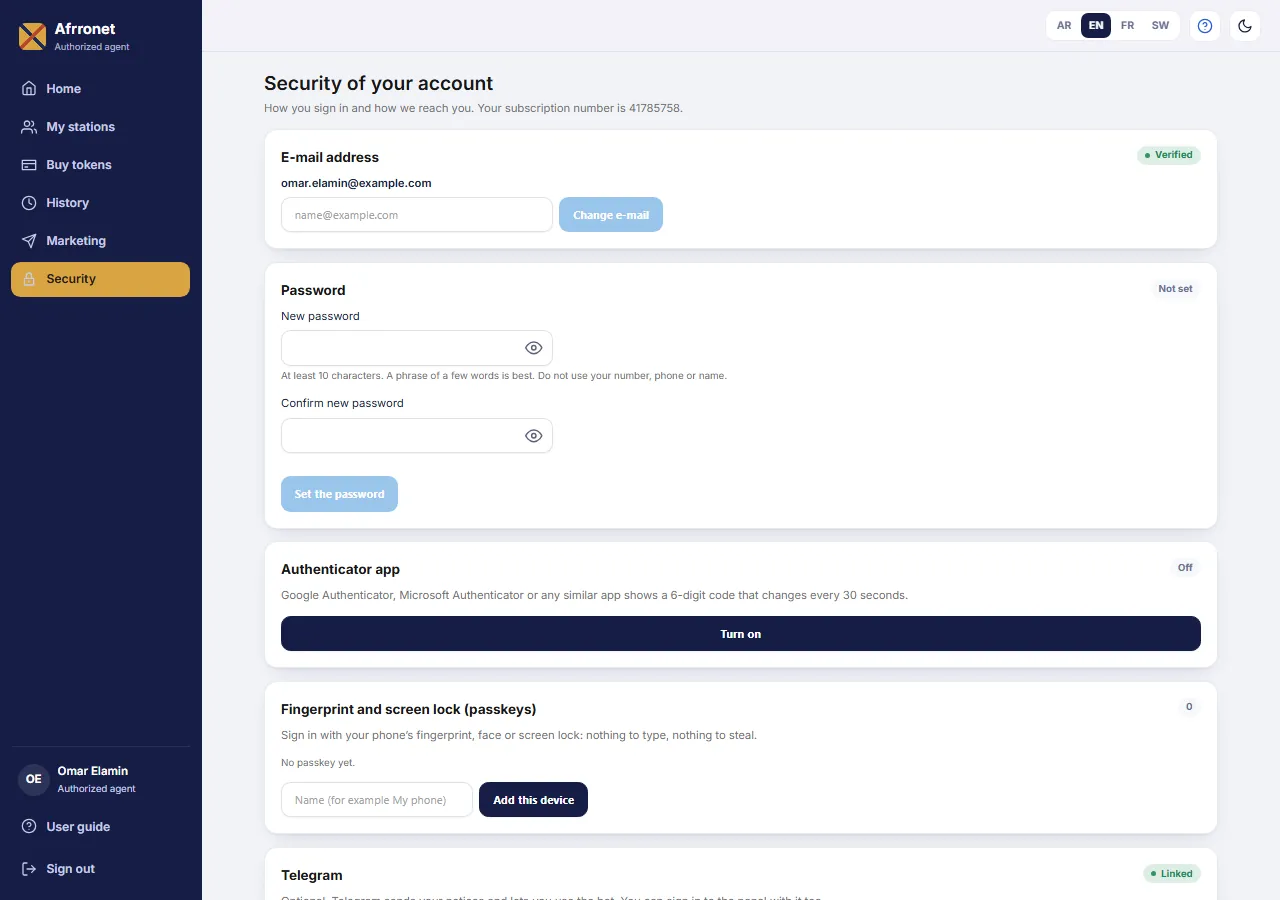
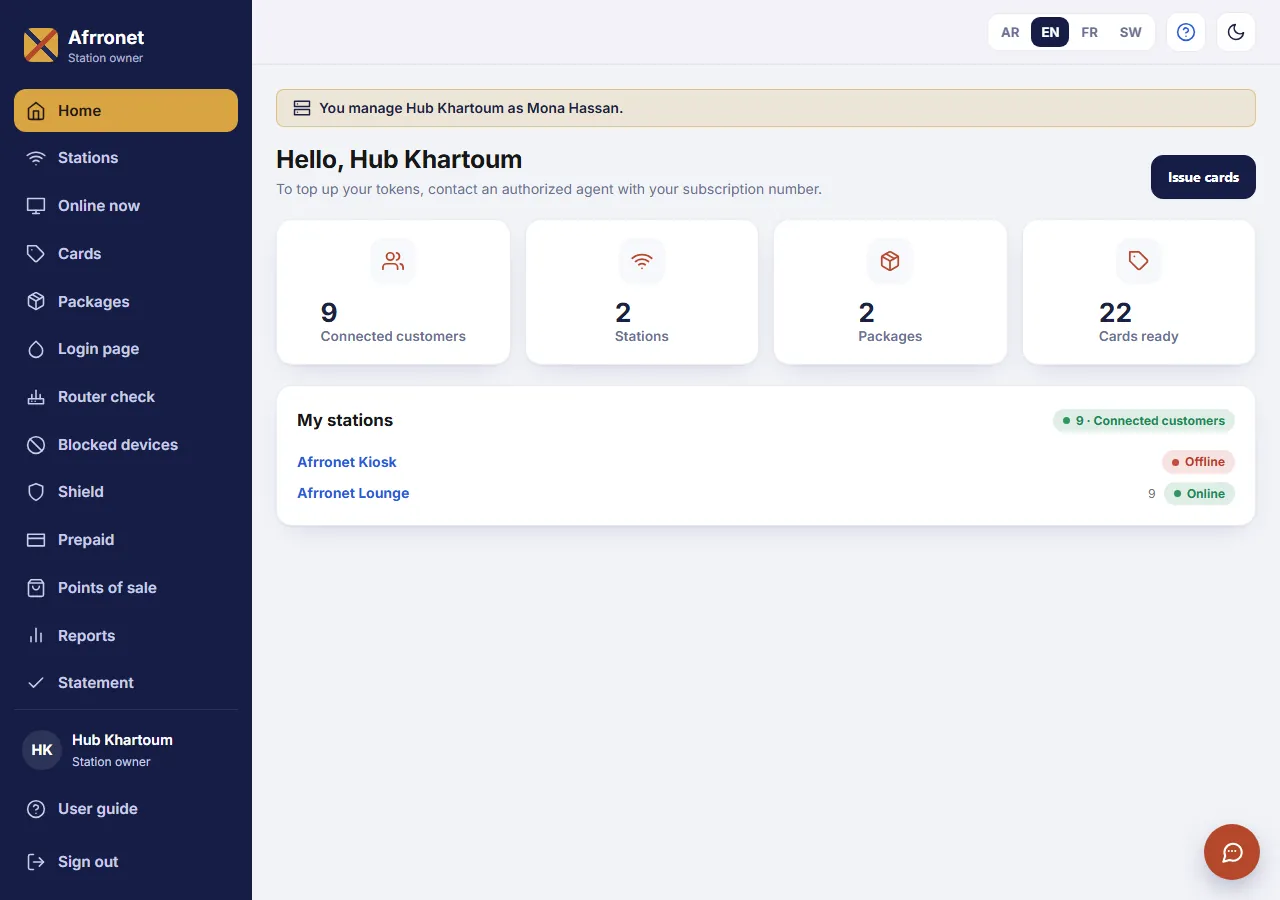
Manager home
A station manager works inside a platform account and sees only that: no wallet, no buying, no other accounts.
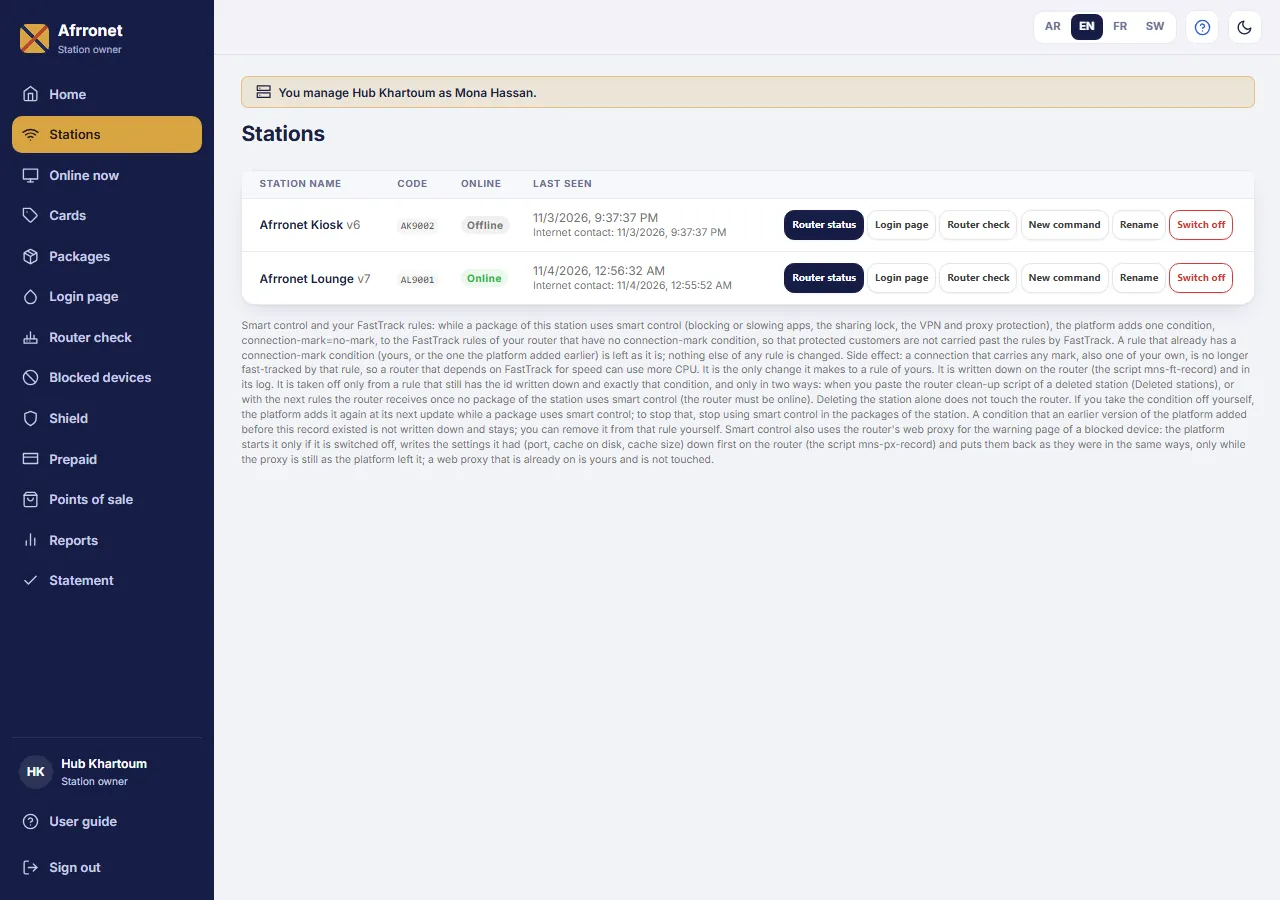
Manager: stations
The stations of the account, with the daily tools. Opening, closing and transferring stations stay with the platform team.
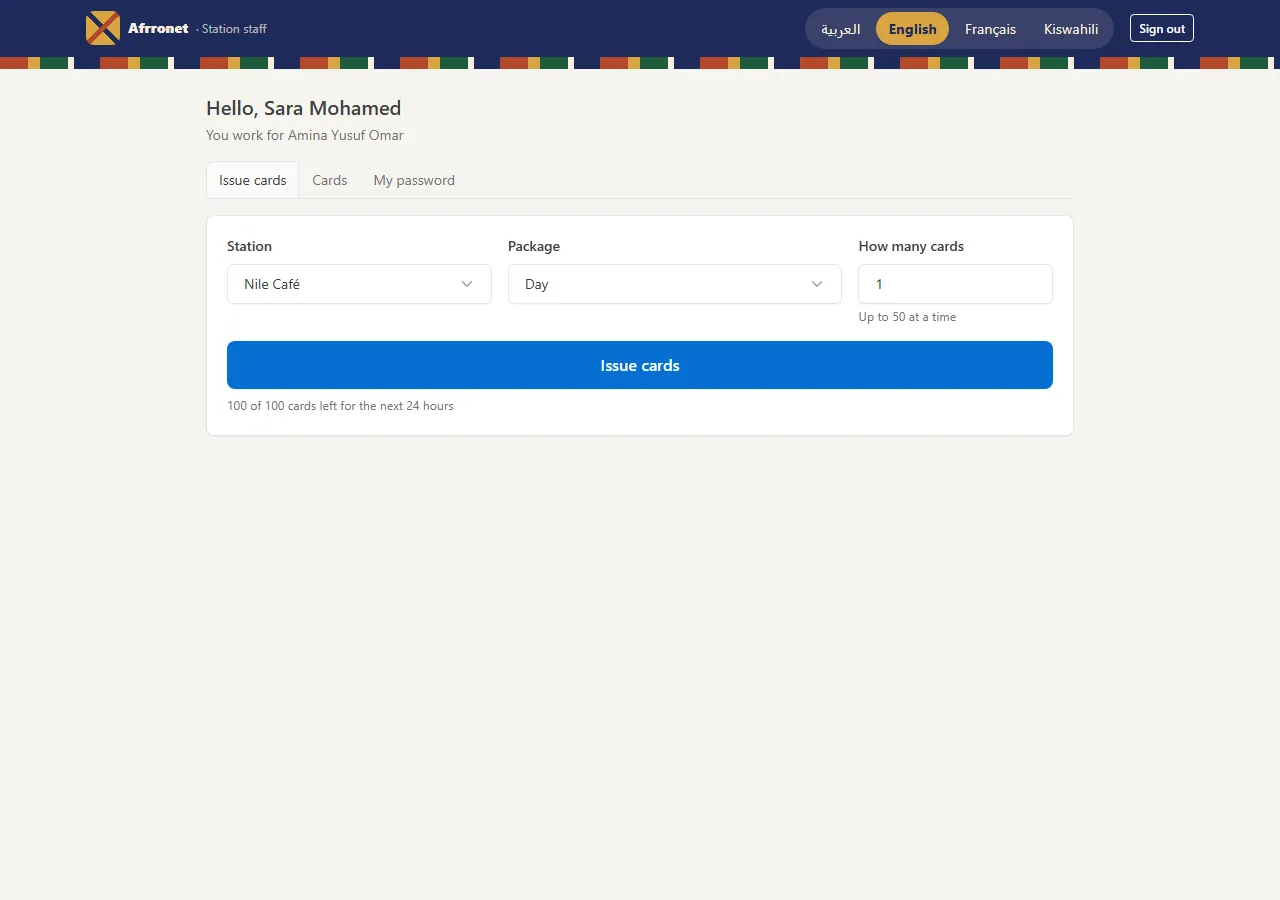
Employee: issue cards
An employee of a station owner works in a small panel of his own: only his stations and only the tasks the owner allowed.
Shop: print a card
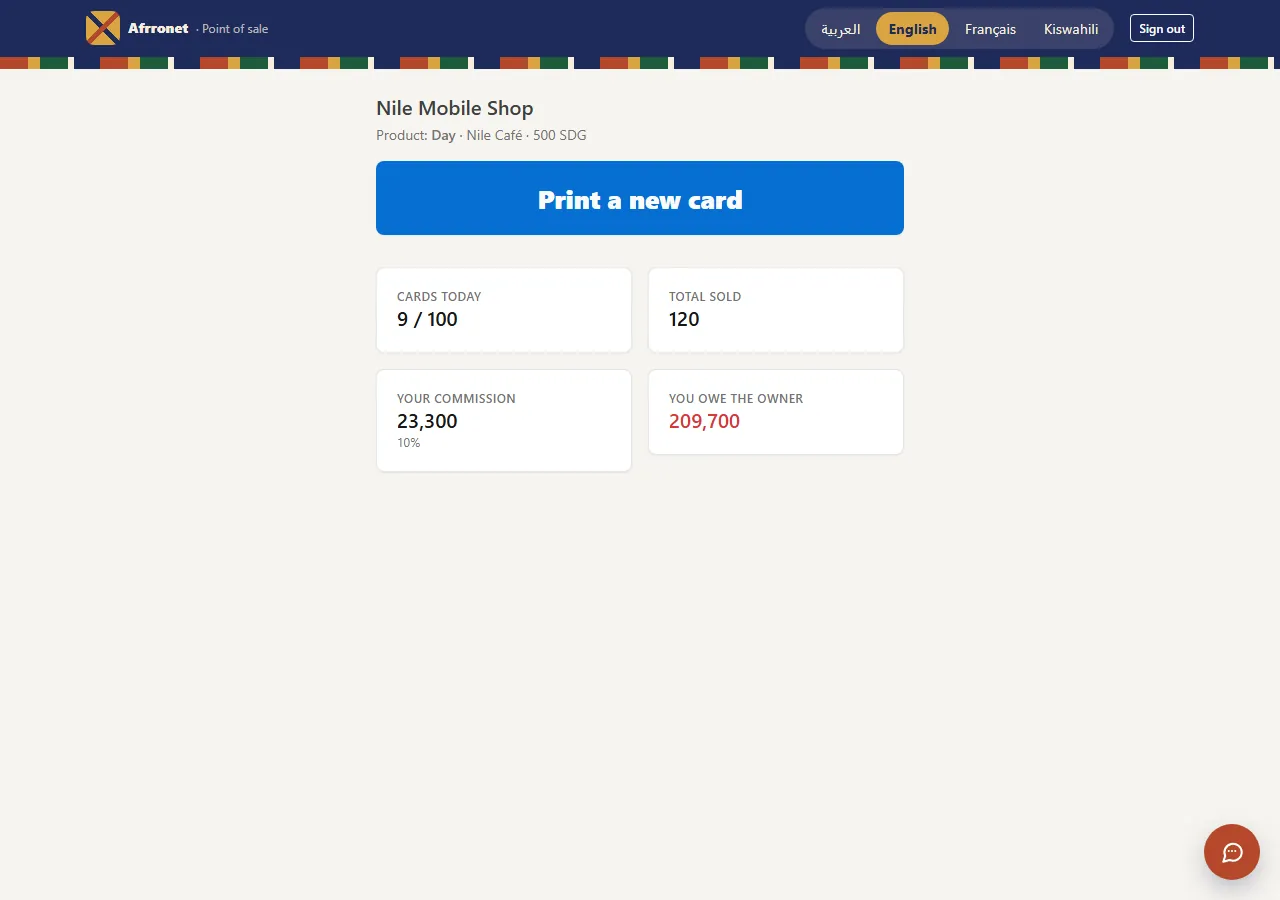
A point of sale has one screen: a big button that prints a card for the customer in front of him.
Stations bot
The station owner's bot: the daily work from Telegram, with his own buttons.
Stations bot for managers
A manager signs in to the same bot as the owners and is taken straight to the account he manages.
Agents bot
The agent's wallet and his sales to station owners, from his phone.
Customers bot
For people who keep a prepaid account at a station: they see their balance and top up themselves.
Every screen in this guide comes from a demo copy of the platform, with made-up names and numbers.
Ready to try it?
Open the stations portal and sign in with Telegram, or apply to open your first station.